

Web Search Navigator
평점 260개
)
개요
Keyboard shortcuts for Google search, YouTube, Startpage, Brave Search, Google Scholar, Github, and Amazon.
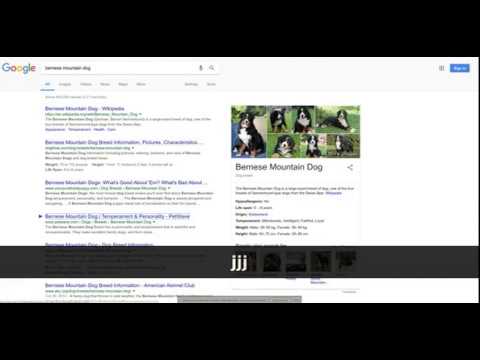
## Overview Simple open source extension that adds keyboard shortcuts to Google search™ and optionally other websites. Note that support for other websites must be enabled in the extension options. See the latest changelog in https://github.com/infokiller/web-search-navigator/blob/master/CHANGELOG.md ## Features - Lightweight - Supports Chrome, Firefox, and Edge - Extensive Google keyboard shortcuts including: - Selecting results - Opening results in the background or foreground - Navigating to other sections (maps/news/videos/etc) - Navigating to the next/previous result page - Changing time restrictions - Support for navigating cards such as Top Stories, Twitter, and videos - All keyboard shortcuts can be changed - Settings are synched between devices with the same browser profile - Supports both key combos and key sequences - Custom CSS rules to control the look of highlighted results - Experimental and optional support for YouTube, Startpage, Brave Search, Google Scholar, Github, Gitlab, and Amazon (needs to be enabled in the options). Note that the extension does not have permissions for these optional websites unless you explicitly enable them. ## Keybindings - `↓`/`j`: Select next search result - `↑`/`k`: Select previous previous result - `/`/`Escape`: Focus on input search box - `Enter`/`Space`: Navigate to selected result - `Ctrl+Enter`/`⌘+Enter`/`Ctrl+Space`: Open selected result in background tab - `Ctrl+Shift+Enter`/`⌘+Shift+Enter`/`Ctrl+Shift+Space`: Open selected result in new window/tab - `←`/`h`: Navigate to previous search result page - `→`/`l`: Navigate to next search result page - `a`/`s`: Navigate to All tab (= default search tab) - `i`: Navigate to images tab - `v`: Navigate to videos tab - `m`: Navigate to maps tab - `n`: Navigate to news tab - `alt+s`: Navigate to shopping tab - `b`: Navigate to books tab - `alt+l`: Navigate to flights tab - `f`: Navigate to financial tab - `z h`: Filter results by past hour - `z d`: Filter results by past 24 hours (day) - `z w`: Filter results by past week - `z m`: Filter results by past month - `z y`: Filter results by past year - `z z`: Turn off filter (show all results) - `z t`: Toggle sort by date/relevance (only when filtering) ©2023 Google LLC All rights reserved. Google™ search is a trademark of Google LLC.
5점 만점에 4.9점평점 260개
세부정보
- 버전0.5.2
- 업데이트됨2023년 5월 29일
- 제공Web Search Navigator Admin
- 크기201KiB
- 언어English
- 개발자
이메일
gsearch.navigator@gmail.com - 비판매자판매자로 식별되지 않은 개발자입니다. 유럽 연합에 거주하는 소비자의 경우, 이 개발자와 체결한 계약에 대해서는 소비자 권리가 적용되지 않을 수 있음을 유의해야 합니다.
개인정보 보호

개발자가 사용자 데이터에 관해 다음과 같이 선언했습니다
- 승인된 사용 사례를 제외하고 서드 파티에 판매하지 않음
- 항목의 핵심 기능과 관련 없는 목적으로 사용하거나 전송하지 않음
- 신용도 판단 또는 대출 목적으로 사용하거나 전송하지 않음
지원
질문, 제안 또는 문제와 관련하여 도움이 필요하면 데스크톱 브라우저에서 이 페이지를 여세요.