


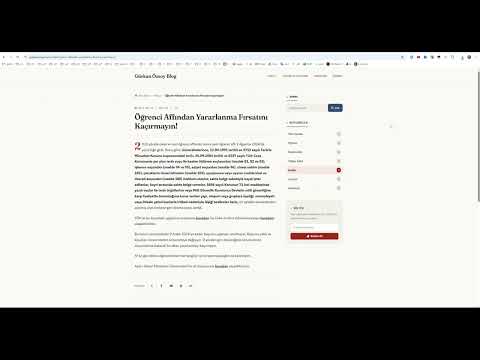
Overview
Produces verifiable full-page evidence screenshots with timestamp, URL, and SHA-256 hash stamps.
Capture verifiable full-page screenshots with automated timestamps, origin URLs, and SHA-256 integrity hashes. Export seamlessly to lossless PNG, lightweight WebP, or continuous single-page PDF. Detailed Description (Chrome Web Store / Readme) Web Proof & Page Archiver is a lightweight, tamper-evident web archiving and capture tool designed for professionals, researchers, developers, and legal specialists. Unlike standard screenshot utilities that clutter long pages with duplicated headers or fail on heavy assets, this extension stitches complete pages into pixel-perfect archival artifacts. Key Capabilities Cryptographic Tamper-Proofing (SHA-256): Calculates a cryptographic SHA-256 checksum across raw canvas pixels via the native Web Crypto API, stamping the hash directly onto the footer to verify the image has not been altered after capture. Audit Footers: Optionally embeds the exact capture timestamp, full source URL, and custom reference ID/notes directly into the bottom margin of the artifact. Sticky & Fixed Element Auto-Handling: Automatically identifies and suppresses position: fixed and position: sticky banners, floating navigation bars, and chat widgets after the initial fold, preventing overlapping header artifacts. Continuous Roll PDF Engine: Generates genuine, continuous single-page PDF documents without arbitrary page breaks, sliced text lines, or invasive print dialogs. Format Flexibility: Export clean outputs in lossless PNG, compressed WebP, or native PDF. Pre-Scroll Lazy Load Engine: Runs an optional pre-flight scroll pass across dynamic pages to trigger viewport-bound image loaders before capturing starts. Local & Intranet Compatibility: Fully operational across public domains, localhost, local IP addresses (127.0.0.1), and file URLs. Zero Third-Party Dependencies: Built entirely with native Web APIs (Offscreen/DOM Canvas, Web Crypto, native binary PDF construction), guaranteeing high execution speed and zero data exfiltration. [Popup Trigger] │ ▼ [background.js Service Worker] │ ├─► 1. Pre-scroll pass (triggers IntersectionObserver/Lazy-load) ├─► 2. DOM inspection & metric extraction (scrollHeight, viewportHeight, DPR) ├─► 3. Safe step-scroll loop (rate-limited via safeCaptureVisibleTab) ├─► 4. Dynamic suppression of fixed/sticky nodes after fold #1 │ ▼ [assembleEvidenceCanvas Injection] │ ├─► Hardware-matched pixel stitching (1:1 DPR mapping) ├─► SHA-256 hash generation from raw buffer data ├─► Crisp high-contrast metadata stamping (stroke + fill) │ ▼ [Format Transformation & Delivery] │ ├─► PNG ──► Direct binary serialization ├─► WebP ──► Canvas lossy compression pipeline └─► PDF ──► In-memory binary PDF-1.4 stream construction │ ▼ [chrome.downloads API] ──► Clean local file save 1. Pre-Flight Preparation & Sticky Node Suppression Upon activation, the background service worker evaluates the active tab's layout metrics (scrollHeight, viewportHeight, devicePixelRatio). If lazy-loading mitigation is enabled, a rapid DOM scroll executes to wake up dynamic assets. During the capture sequence, a dedicated DOM scanner discovers all elements styled with position: fixed or position: sticky and sets their visibility to hidden after the first viewport snapshot, restoring their original states once the sequence terminates. 2. Rate-Limited Capture Loop To bypass Chrome’s internal MAX_CAPTURE_VISIBLE_TAB_CALLS_PER_SECOND throttling ceiling, page scrolling runs through an interval-throttled queue with automatic backoff retry logic. Each visible slice is indexed alongside its exact vertical scroll coordinate. 3. Pixel-Level Canvas Assembly & Integrity Hashing All captured slices are composited inside a target canvas matched to the device's hardware resolution (devicePixelRatio). Before rendering textual stamp overlays, the raw pixel buffer is digested through crypto.subtle.digest('SHA-256', ...) to generate a deterministic fingerprint of the rendered document. The calculated hash, active URL, machine timestamp, and user notes are drawn onto the bottom baseline using outlined high-contrast typography. 4. Dependency-Free Binary PDF Generation When PDF format is selected, the composite image data is transformed into a JPEG binary byte array and wrapped directly into a valid PDF 1.4 binary stream structure (Catalog, Pages, Page, XObject, XRef table). The resulting single-page PDF conforms precisely to the total height of the web page, completely eliminating sliced sentences and mid-element page breaks.
0 out of 5No ratings
Details
- Version2.0.0
- UpdatedSeptember 28, 2026
- Size18.58KiB
- Languages2 languages
- DeveloperWebsite
Email
munib.ozsoy@gmail.com - Non-traderThis developer has not identified itself as a trader. For consumers in the European Union, please note that consumer rights do not apply to contracts between you and this developer.
Privacy

This developer declares that your data is
- Not being sold to third parties, outside of the approved use cases
- Not being used or transferred for purposes that are unrelated to the item's core functionality
- Not being used or transferred to determine creditworthiness or for lending purposes
Support
For help with questions, suggestions, or problems, visit the developer's support site