


Overview
Annotate web pages and save marked-up screenshots or screen recordings without audio.
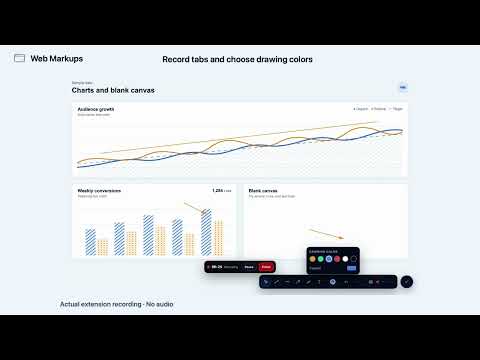
Annotate web pages, capture screenshots, and record browser tabs with Web Markups. Add lines, arrows, channels, and text directly over a webpage. Edit your annotations, choose colors, and capture the visible tab or a selected area. Record browser video without audio, with visible recording controls, pause/resume, and MP4 or WebM output. Drawing and local captures work without an account. Free screenshots include a watermark. Pro adds watermark-free screenshots, Circle area capture, and 5 GB of private cloud storage. Captures save locally by default. Media uploads only when you explicitly choose Cloud. The extension contains no advertising or analytics.
0 out of 5No ratings
Details
- Version1.0.73
- UpdatedSeptember 25, 2026
- FeaturesOffers in-app purchases
- Size211KiB
- LanguagesEnglish
- DeveloperDrones Point of ViewWebsite
21255 Burbank Blvd ste 120 Woodland Hills, CA 91367-6669 USEmail
webmarkups1@gmail.comPhone
+1 747-309-7120 - TraderThis developer has identified itself as a trader per the definition from the European Union and committed to only offer products or services that comply with EU laws.
- D-U-N-S113575027
Privacy

Web Markups has disclosed the following information regarding the collection and usage of your data. More detailed information can be found in the developer's privacy policy.
Web Markups handles the following:
This developer declares that your data is
- Not being sold to third parties, outside of the approved use cases
- Not being used or transferred for purposes that are unrelated to the item's core functionality
- Not being used or transferred to determine creditworthiness or for lending purposes
Support
For help with questions, suggestions, or problems, visit the developer's support site