

Web Highlighter

Overview
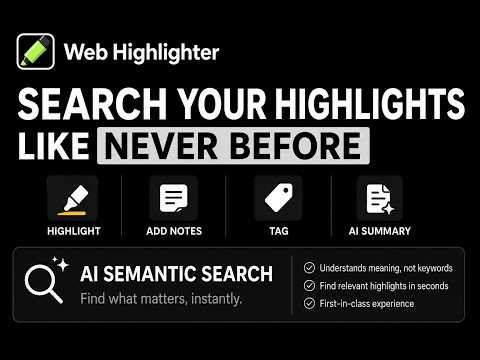
Highlight text, add notes, organize with tags. AI summaries. Semantically search highlights/ summaries. Highlight YouTube™ videos.
Transform how you research and read online. Web Highlighter is a powerful, privacy-first tool that lets you save the most important parts of any webpage, add your own thoughts, and generate instant AI summaries—all without your data ever leaving your computer. Best of all, Web Highlighter is completely free. Enjoy every feature without any hidden costs, subscriptions, or locked "pro" versions—ever. Key Features In a Nutshell • Highlight/ Underline text on webpages. Add notes and tags to highlights. • Generate summaries of webpages, highlights and/ or notes (AI-Powered). • Highlight transcripts of YouTube™ videos. • Semantically search through highlights and summaries (AI-Powered). • Filter highlights by color. • Privacy Assured. All processing (including AI inferences) run locally on your machine. • No locked features or subscriptions. As everything runs locally, why should I charge you? ✨ Key Features Effortless Highlighting & Underlining: • Select any text to highlight or underline it instantly. • Use a sleek floating palette for one-click actions. • Choose from multiple colors to categorize your findings. Smart Research Dashboard: • Access all your highlights and notes in a convenient Side Panel. • View your research organized by website and page title. • Jump back to the exact spot on any page with a single click. Private, Local AI Summaries: • Get instant bullet points, TL;DRs, or headlines of long articles, highlights and/ or your notes. • Works 100% on your device using Chrome’s built-in AI. • Generate unlimited AI summaries with total privacy. AI-Powered Semantic Search: • Concept Search: Find highlights by meaning, not just exact words. • Total Privacy: Local embedding model ensures data never leaves your device. • Instant Retrieval: Pull up relevant highlights from across multiple web pages. • Always Free: No cloud API costs or subscription barriers. YouTube™ Transcript Highlighter: • 1-Click Transcript Import: Extract video captions directly from the YouTube™ player. • Multi-Language Support: Choose from available or auto-generated subtitle languages. • Side-by-Side Viewing: Watch videos next to their full transcripts on a dedicated page. • Click-to-Seek: Click any timestamp or transcript text to jump to that moment in the video. Stay Organized Your Way: • Add personal notes and custom tags to any highlight. • Highlights automatically follow the order of the webpage. • Manually drag and drop highlights to create your own custom order. • Export your highlights, tags and notes to PDF / Markdown. Full Control of Your Data: • All data is stored locally on your computer. • Easily export your entire library to JSON for backup. • Restore your data anytime with a simple import. Universal Access & Premium Experience: • 100% FREE: No locked features or hidden subscriptions. • Beautifully designed with full Dark Mode and Light Mode support. 🔒 Privacy First I believe your research is your business. Unlike other extensions, Web Highlighter does not use external servers to store your highlights or process your AI summaries. Everything happens locally on your machine, ensuring your browsing habits and data stay 100% private. 🚀 Get Started 1. Install Web Highlighter. 2. Select any text on a webpage. 3. Use the floating marker to highlight or underline. 4. Open the Side Panel to manage your collection and generate AI summaries! Stop losing track of what you read. Start building your knowledge web today with Web Highlighter. In this update: - Bugfixes. YouTube is a trademark of Google LLC. Use of this trademark is subject to Google Permissions.
5 out of 51 rating
Details
- Version0.0.1.3
- UpdatedOctober 3, 2026
- Size7.25MiB
- LanguagesEnglish (United States)
- DeveloperWebsite
Email
vaishak.k.nair@gmail.com - Non-traderThis developer has not identified itself as a trader. For consumers in the European Union, please note that consumer rights do not apply to contracts between you and this developer.
Privacy

This developer declares that your data is
- Not being sold to third parties, outside of the approved use cases
- Not being used or transferred for purposes that are unrelated to the item's core functionality
- Not being used or transferred to determine creditworthiness or for lending purposes