


Overview
Capture entire documentation sites with screenshots or text extraction
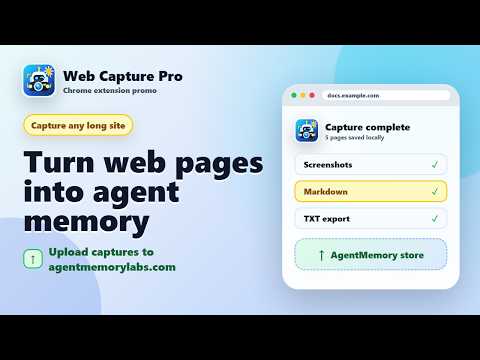
**Web Capture Pro** — The missing capture tool for AI agents, researchers, and power users. Turn documentation pages, articles, and URL lists into clean, structured output in seconds. Whether you're building ChatGPT context, populating a RAG pipeline, or archiving research for offline reading, Web Capture Pro handles the grunt work so you don't have to. ### What You Can Do 📸 **Screenshot Mode** — Capture viewport or full-page screenshots across multiple pages. Auto-stitches scrollable pages and exports print-ready HTML that can be saved as PDF from Chrome. 📝 **Markdown Mode** — Extract clean, structured Markdown with headings, lists, code blocks, and tables preserved. Copy-paste directly into ChatGPT, Claude, Notion, or any LLM. 🔗 **Batch URL Mode** — Paste a list of URLs and capture them all in one go. Perfect for archiving a whole tutorial series or documentation section. 🤖 **Smart Navigation** — Automatically detects and follows "Next" links, pagination, and sidebar navigation on many documentation sites. Batch mode is available when a site needs explicit URLs. ⚙️ **Advanced Options** — Target specific content areas with CSS selectors, override next-link detection, set custom delays, and limit page count. ### Built for AI Workflows - **LLM-Ready Markdown** — Clean formatting that ChatGPT, Claude, and other LLMs parse perfectly - **Full-Page Capture** — Scrolls and stitches supported pages, including nested documentation scroll containers - **Batch Processing** — Queue up dozens of URLs and walk away - **Session Recovery** — Interrupted? Resume exactly where you left off - **Auto-Export** — Optionally download files automatically when capture completes ### Privacy First All processing happens **locally in your browser**. Your data never leaves your device. No accounts, no servers, no tracking. ### Perfect For - Developers building AI training datasets - Researchers archiving web sources - Students saving course materials - Knowledge workers creating offline documentation - Anyone feeding clean context to LLMs --- **Capture once. Use everywhere.** --- ## Feature Bullets (for "Additional fields" if available) - Multi-page screenshot & text extraction for documentation-style sites - Full-page scroll-and-stitch capture - Clean Markdown output with preserved formatting - Automatic next-page/sidebar navigation detection - Batch URL processing - Custom CSS selectors for targeted extraction - Print-ready HTML export that can be saved as PDF from Chrome - Session pause, resume, and recovery - Export to HTML, Markdown, or Plain Text - 100% local processing — no data sent to servers
0 out of 5No ratings
Details
- Version1.1.16
- UpdatedAugust 28, 2026
- Size151KiB
- LanguagesEnglish (United States)
- DeveloperJoshua FriedmanWebsite
1216 E Cumberland Ave UNIT 309 Tampa, FL 33602-4243 USEmail
admin@agentmemorylabs.comPhone
+1 813-477-2784 - TraderThis developer has identified itself as a trader per the definition from the European Union and committed to only offer products or services that comply with EU laws.
Privacy

This developer declares that your data is
- Not being sold to third parties, outside of the approved use cases
- Not being used or transferred for purposes that are unrelated to the item's core functionality
- Not being used or transferred to determine creditworthiness or for lending purposes
Support
For help with questions, suggestions, or problems, visit the developer's support site