


Overview
Hold the mic, talk through a process, and watch it become a flow diagram. Works beside Teams, Meet, Zoom, or any tab.
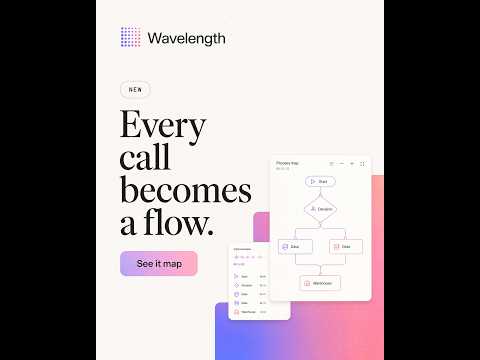
Talk through a process. Watch the diagram build beside you. Wavelength turns spoken process descriptions into editable flow diagrams, in a side panel that sits next to whatever tab you are already in. Open it beside Microsoft Teams, Google Meet, Zoom on the web, a Gong recording, a Confluence page, or a blank tab, hold the mic, and describe how something works. The diagram draws itself as you speak. Built for people who explain systems for a living: sales engineers, solution architects, technical project managers, and consultants running discovery workshops. HOW IT WORKS 1. Pin the Wavelength icon and open the side panel. 2. Sign in with your Wavelength account. One click, no second password. 3. Hold the mic button or hold Space, and talk. Release when you are done. Keep talking and the diagram keeps updating. Say "actually the validation step comes before the load" and it rearranges. A FULL EDITOR, NOT A PREVIEW The panel runs the real Wavelength canvas, so you can: - Drag nodes anywhere - Draw connections between steps - Set an owner and notes on any step - Nest steps under a parent - Switch node types: start, end, step, decision, data, system, actor - Flip between horizontal and vertical layouts - Undo, save versions, and restore them - Export to PNG, PDF, or Mermaid Every flow saves to your Wavelength account automatically and opens in the full web app whenever you want more room. WHY A SIDE PANEL Meeting apps each have their own plugin system, their own review process, and their own limits. A browser side panel skips all of that. It works next to any tab, so the same tool covers every meeting platform and every document you are reading. PRIVACY Only the audio you record by holding the mic is processed. The extension never listens in the background, never captures meeting audio, and never records other participants. Audio is transcribed and then discarded, not stored. Your transcripts are never used to train models. REQUIREMENTS Chrome 116 or later and a Wavelength account on the Starter or Pro plan. Sign up at wavelengthflow.com.
0 out of 5No ratings
Details
- Version0.2.0
- UpdatedSeptember 1, 2026
- Size57.26KiB
- LanguagesEnglish
- DeveloperMVR Capital Holdings LLCWebsite
8 Roaring Creek Ct Trophy Club, TX 76262-5434 USEmail
mitchkjeldgaard@gmail.comPhone
+1 817-422-2412 - TraderThis developer has identified itself as a trader per the definition from the European Union and committed to only offer products or services that comply with EU laws.
- D-U-N-S148316264
Privacy

Wavelength: Talk to Diagram has disclosed the following information regarding the collection and usage of your data. More detailed information can be found in the developer's privacy policy.
Wavelength: Talk to Diagram handles the following:
This developer declares that your data is
- Not being sold to third parties, outside of the approved use cases
- Not being used or transferred for purposes that are unrelated to the item's core functionality
- Not being used or transferred to determine creditworthiness or for lending purposes
Support
For help with questions, suggestions, or problems, visit the developer's support site