Item logo image for Wavelength: Talk to Diagram

Wavelength: Talk to Diagram

MVR Capital Holdings LLC
5.0(

5 ratings

)
Item media 2 (screenshot) for Wavelength: Talk to Diagram
Item video thumbnail
Item media 2 (screenshot) for Wavelength: Talk to Diagram
Item video thumbnail
Item media 2 (screenshot) for Wavelength: Talk to Diagram

Overview

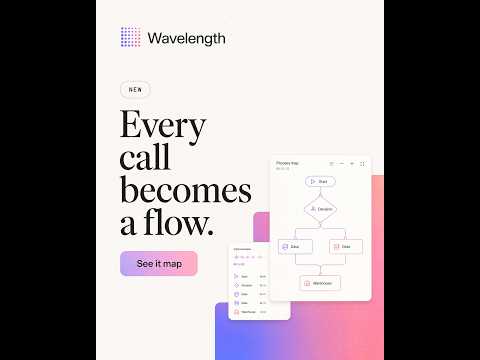
Talk through a process, or let it hear the call, and watch it become a flow diagram beside Teams, Meet, Zoom, or any tab.

Talk through a process. Watch the diagram build beside you. Free to use with any Wavelength account. Wavelength turns spoken process descriptions into editable flow diagrams, in a side panel that sits next to whatever tab you are already in. Open it beside Microsoft Teams, Google Meet, Zoom on the web, a Gong recording, a Confluence page, or a blank tab, hold the mic, and describe how something works. The diagram draws itself as you speak. Built for people who explain systems for a living: sales engineers, solution architects, technical project managers, and consultants running discovery workshops. HOW IT WORKS 1. Pin the Wavelength icon and open the side panel. 2. Sign in with your Wavelength account. One click, no second password. 3. Hold the mic button or hold Space, and talk. Release when you are done. Keep talking and the diagram keeps updating. Say "actually the validation step comes before the load" and it rearranges. A FULL EDITOR, NOT A PREVIEW The panel runs the real Wavelength canvas, so you can: - Drag nodes anywhere - Draw connections between steps - Set an owner and notes on any step - Nest steps under a parent - Switch node types: start, end, step, decision, data, system, actor - Flip between horizontal and vertical layouts - Undo, save versions, and restore them - Export to PNG, PDF, or Mermaid Every flow saves to your Wavelength account automatically and opens in the full web app whenever you want more room. WHY A SIDE PANEL Meeting apps each have their own plugin system, their own review process, and their own limits. A browser side panel skips all of that. It works next to any tab, so the same tool covers every meeting platform and every document you are reading. PRIVACY By default, the panel hears only your microphone while you hold the mic button. It never listens in the background. When you turn on Listen to call, the panel also hears the audio of the meeting tab and turns it into text for the flow. Tell the other people on the call before you turn it on. Audio is transcribed and then discarded, not stored. Your transcripts are never used to train models. REQUIREMENTS Chrome 116 or later and a Wavelength account. Sign up at wavelengthflow.com. The side panel is included on every plan, including Free. The Free plan saves up to 10 flows and needs no card.

Details

  • Version
    0.3.1
  • Updated
    October 29, 2026
  • Size
    29.89KiB
  • Languages
    English
  • Developer
    MVR Capital Holdings LLC
    8 Roaring Creek Ct Trophy Club, TX 76262-5434 US
    Website
    Email
    mitchkjeldgaard@gmail.com
    Phone
    +1 817-422-2412
  • Trader
    This developer has identified itself as a trader per the definition from the European Union and committed to only offer products or services that comply with EU laws.
  • D-U-N-S
    148316264

Privacy

Manage extensions and learn how they're being used in your organization

Wavelength: Talk to Diagram has disclosed the following information regarding the collection and usage of your data. More detailed information can be found in the developer's privacy policy.

Wavelength: Talk to Diagram handles the following:

Personally identifiable information
Personal communications
Website content

This developer declares that your data is

  • Not being sold to third parties, outside of the approved use cases
  • Not being used or transferred for purposes that are unrelated to the item's core functionality
  • Not being used or transferred to determine creditworthiness or for lending purposes

Support

For help with questions, suggestions, or problems, visit the developer's support site

Related

Central: AI Notetaker for Meetings, Notes & Transcripts

5.0

Record Google Meet, Zoom and Microsoft Teams calls: live transcript, AI summary and notes, synced to your Central workspace.

Teams Recording & Transcript Downloader

4.3

Save a Teams or Stream meeting recording as video, audio or a transcript with speaker names and timestamps.

Meeting Recorder & AI Notes for Zoom, Meet, Teams | OpenNoteTaker

5.0

Free, open-source AI note taker for Zoom, Meet and Teams. No bot joins the call; Whisper transcribes on your device, no upload.

Talkbase — AI Meeting Recorder

0.0

Record, transcribe and analyze Google Meet, Zoom and Teams calls: live AI insights, speaker names, summaries and action items.

AI Meeting Note Taker

5.0

Use AI Meeting Note Taker - get AI transcription, instant minutes, summaries, and an AI meeting assistant for Teams, Zoom and Meet.

MemeBox: Meme Soundboard & Voice Changer for Calls

0.0

Meme soundboard & voice changer for calls: play meme sounds and sound effects into your mic on Google Meet, Zoom, Teams, Discord.

Meetlens: AI Meeting Recorder & Notes for Google Meet

5.0

Record meeting audio on Google Meet, Zoom, and other platforms. Automatic transcription and AI reports.

SeaMeet: Screen, Audio & Meeting Recorder — Meet, Zoom, Teams, WhatsApp

5.0

No bot joins your call. Record any tab, window, screen or voice — Google Meet, Zoom, Teams, WhatsApp — live transcript & AI summary.

Scribbl: AI Note Taker for Meetings: Record Google Meet, Zoom & Teams

4.9

AI meeting notes, minutes, transcripts and recordings with no bot in the call. Ask ChatGPT or Claude about any meeting.

Bluedot: AI notetaker & Meeting Recorder

5.0

Bot-free AI note taker & AI meeting notes for Google Meet, Zoom & Teams meetings.

MeetGeek: AI Meeting Notes, Transcripts & Screen Recording

4.5

Get automatic recordings, transcripts, and summaries for online meetings on Google Meet, Zoom, and Teams.

MeetWave: AI Note Taker for Google Meet, Teams & Zoom — No Bot

5.0

AI note taker with no bot: records Google Meet, Teams & Zoom Web audio and turns it into a transcript, summary and action items.

Central: AI Notetaker for Meetings, Notes & Transcripts

5.0

Record Google Meet, Zoom and Microsoft Teams calls: live transcript, AI summary and notes, synced to your Central workspace.

Teams Recording & Transcript Downloader

4.3

Save a Teams or Stream meeting recording as video, audio or a transcript with speaker names and timestamps.

Meeting Recorder & AI Notes for Zoom, Meet, Teams | OpenNoteTaker

5.0

Free, open-source AI note taker for Zoom, Meet and Teams. No bot joins the call; Whisper transcribes on your device, no upload.

Talkbase — AI Meeting Recorder

0.0

Record, transcribe and analyze Google Meet, Zoom and Teams calls: live AI insights, speaker names, summaries and action items.

AI Meeting Note Taker

5.0

Use AI Meeting Note Taker - get AI transcription, instant minutes, summaries, and an AI meeting assistant for Teams, Zoom and Meet.

MemeBox: Meme Soundboard & Voice Changer for Calls

0.0

Meme soundboard & voice changer for calls: play meme sounds and sound effects into your mic on Google Meet, Zoom, Teams, Discord.

Meetlens: AI Meeting Recorder & Notes for Google Meet

5.0

Record meeting audio on Google Meet, Zoom, and other platforms. Automatic transcription and AI reports.

SeaMeet: Screen, Audio & Meeting Recorder — Meet, Zoom, Teams, WhatsApp

5.0

No bot joins your call. Record any tab, window, screen or voice — Google Meet, Zoom, Teams, WhatsApp — live transcript & AI summary.

Search
Clear search
Close search
Google apps
Main menu
