

WatchTranslate: AI Dual Subtitles for YouTube, X, Bilibili & Local Videos

Overview
AI bilingual subtitles as you watch: YouTube, X, Bilibili & local videos. No download, no upload, no captions needed. 74 languages.
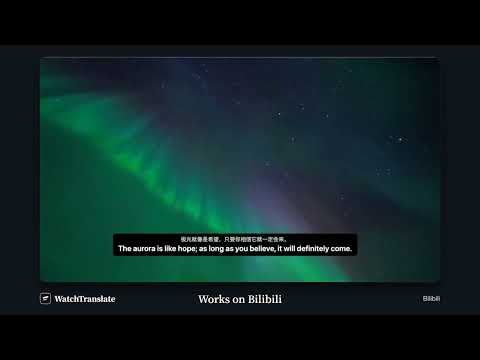
WatchTranslate · Watch like a native. AI bilingual subtitles for YouTube, X, Bilibili and your local videos — even when a video has no captions. 1. No captions? Still bilingual When a video has captions, WatchTranslate translates them. When it has none, it transcribes the speech and translates that instead. 2. More accurate, more natural translation AI language models read the surrounding dialogue instead of translating line by line like traditional machine translation. 3. Original, translation, or both Show the original line, the translation, or both together. Adjust font size, spacing, background and position. 4. Export subtitles Download generated subtitles as SRT or VTT files. 5. Already translated by someone? Watch it free Create a free account to reuse generated subtitles for the same video, subtitle source and languages, even after your credits run out. How to start 1. Install the extension. 2. Open a video on YouTube, X or Bilibili. 3. Click the translation icon in the player and choose a language. Videos on your phone or computer can also be translated in your browser at watchtranslate.com/player, with no install. Free to try New accounts receive a one-time grant of 20 free points: about 100 minutes of videos with captions, or about 20 minutes without. 74 subtitle languages. The extension is for desktop browsers.
3 out of 52 ratings
Details
- Version0.5.300
- UpdatedOctober 19, 2026
- Size1.09MiB
- Languages14 languages
- DeveloperWebsite
Email
support@watchtranslate.com - Non-traderThis developer has not identified itself as a trader. For consumers in the European Union, please note that consumer rights do not apply to contracts between you and this developer.
Privacy

WatchTranslate: AI Dual Subtitles for YouTube, X, Bilibili & Local Videos has disclosed the following information regarding the collection and usage of your data. More detailed information can be found in the developer's privacy policy.
WatchTranslate: AI Dual Subtitles for YouTube, X, Bilibili & Local Videos handles the following:
This developer declares that your data is
- Not being sold to third parties, outside of the approved use cases
- Not being used or transferred for purposes that are unrelated to the item's core functionality
- Not being used or transferred to determine creditworthiness or for lending purposes
Support
For help with questions, suggestions, or problems, visit the developer's support site