

WaSenderHQ — Bulk WhatsApp Message Sender

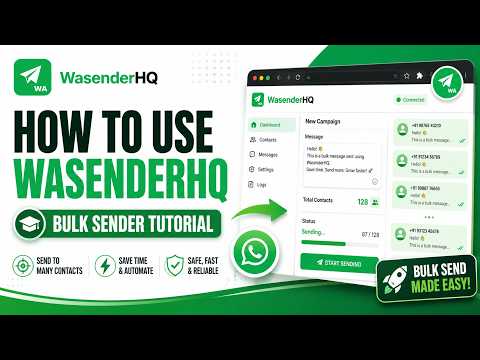
Overview
Send personalized WhatsApp messages from CSV or Google Sheets. Human-like delays, no API, and no saved contacts required.
WA Sender HQ is a WhatsApp bulk sender, WhatsApp auto sender, WhatsApp message scheduler, and contact management tool for businesses, organizations, and professionals who use WhatsApp Web for permission-based customer communication. Import contacts from CSV or Google Sheets, send personalized WhatsApp messages, schedule campaigns, extract visible WhatsApp group member numbers, use reusable message templates, and send WhatsApp messages without saving every number as a contact. Everything works directly in your browser through WhatsApp Web. No coding or separate messaging API is required. You choose the recipients, review the message, and start every campaign yourself. ## WHATSAPP BULK SENDER Use WA Sender HQ as a WhatsApp bulk sender for legitimate customer communication, reminders, updates, announcements, and other opt-in messaging. * Import phone numbers from CSV * Import contacts from Google Sheets * Paste phone numbers manually * Use Name, Phone format * Add international numbers with country codes * Review recipients before sending * Pause, resume, or stop an active campaign * Track sent, pending, failed, invalid, and skipped results * Export campaign activity to CSV The free plan includes core text campaigns without a daily message quota imposed by WA Sender HQ. ## WHATSAPP AUTO SENDER WA Sender HQ provides a WhatsApp auto sender workflow that processes your prepared recipient list through WhatsApp Web. Control campaign pacing with: * Minimum and maximum delays * Randomized timing between contacts * Character-by-character typing * Pause and resume controls * Stop campaign controls * Next-message timing information * Optional Pro typing and pacing controls No delay or pacing configuration can guarantee account safety. Users remain responsible for recipient consent, message frequency, content quality, and compliance with platform rules. ## PERSONALIZED WHATSAPP MESSAGES Create personalized WhatsApp messages instead of sending identical generic text to every recipient. Use `{name}` to automatically insert each contact’s name. Additional CSV or spreadsheet columns can also be used as custom message variables where supported. Personalization can be useful for: * Customer support follow-ups * Appointment reminders * Reservation reminders * Order and shipping updates * Payment and invoice reminders * Event and webinar invitations * Product availability notices * Community announcements * Customer feedback requests * Opt-in sales outreach Names, phone numbers, dates, prices, links, and imported personalization values remain connected to the correct recipient throughout the campaign. ## WHATSAPP CSV SENDER Use WA Sender HQ as a WhatsApp CSV sender to import and prepare contact lists. * Import names and phone numbers from CSV * Import additional personalization columns * Review contacts before sending * Detect duplicate phone numbers * Remove duplicates with one click * Identify invalid or incomplete numbers * Export campaign results to CSV Free users can import up to 50 contacts at a time. Pro removes the extension’s 50-contact import restriction. ## GOOGLE SHEETS CONTACT IMPORT Import contacts from a compatible Google Sheets link. Google Sheets imports can include: * Phone numbers * Contact names * Personalization values * Additional supported columns The spreadsheet must be published or shared so people with the link can access it. Private sheets that redirect to a Google sign-in page cannot be imported directly. Free users can import up to 50 contacts at a time. Pro removes the extension’s 50-contact import restriction. ## WHATSAPP GROUP CONTACT EXTRACTOR WA Sender HQ includes a WhatsApp group contact extractor workflow for visible group-member numbers. Open a WhatsApp group in WhatsApp Web and extract visible member phone numbers for review. * Extract visible WhatsApp group member numbers * Review extracted contacts before use * Avoid copying each visible number manually * Validate imported numbers * Remove duplicates * Exclude numbers on your Do Not Message list Only use extracted contact information where you have an appropriate reason and permission to contact those recipients. ## SEND WHATSAPP WITHOUT SAVING NUMBER Send WhatsApp messages without saving every number as a contact first. Enter phone numbers manually or import them from CSV or Google Sheets. You can also enter contacts using Name, Phone format. International numbers should include the appropriate country code. This workflow is useful for legitimate business contact lists where manually creating a saved phone contact for every recipient would be unnecessary. ## WHATSAPP DIRECT MESSAGE SENDER WA Sender HQ also includes direct contact tools: * Save the currently open chat as a contact * Save a contact by entering a phone number and name * Open the WA Sender HQ dashboard * Review previous campaign activity * Export stored campaign logs ## WHATSAPP MESSAGE SCHEDULER WA Sender HQ Pro includes a WhatsApp message scheduler for preparing a campaign to start at a future date and time. A scheduled campaign can retain: * Prepared recipients * Personalized message content * Delay settings * Supported attachments Duplicate and suppressed contacts are removed before the scheduled campaign starts. Only one active scheduled campaign is maintained at a time, helping reduce accidental duplicate schedules. Schedule WhatsApp messages for appointment reminders, customer follow-ups, event reminders, order updates, delivery notices, product availability updates, and other permission-based communication. ## WHATSAPP MESSAGE TEMPLATES Pro users can save reusable WhatsApp message templates and campaign configurations. Saved Templates make it easier to reuse common messages such as: * Appointment confirmations * Follow-up messages * Delivery notifications * Payment reminders * Event invitations * Support responses * Product availability updates * Regular customer announcements Saved Campaigns can preserve frequently used recipients and message content for recurring workflows. ## CONTACT VALIDATION AND DUPLICATE REMOVAL The Campaign Review workflow helps prepare cleaner recipient lists before sending. * View total, valid, invalid, duplicate, and suppressed contact counts * Normalize supported phone-number formats * Detect duplicate numbers * Remove duplicate contacts with one click * Identify invalid or incomplete phone numbers * Exclude blocked recipients through the Do Not Message list * Review imported names and phone numbers * Prevent duplicate contacts from being added to scheduled campaigns This workflow can function as a phone-number cleaner, duplicate-number remover, contact-list validator, and campaign preparation tool inside the extension. ## CAMPAIGN REVIEW AND DELIVERY STATUS Review your campaign before it begins and monitor progress while it runs. Campaign Review can display: * Intended recipients * Valid and excluded contact totals * Message content * Selected attachment * Delay configuration * Relevant warnings During a campaign you can follow: * Sent * Pending * Failed * Invalid * Skipped A pending message is not automatically presented as a confirmed send when the active web session has not yet returned a final status. You can also view the current contact, campaign progress, next-message timing, and export campaign activity to CSV. ## ONE-CLICK RETRY FOR FAILED MESSAGES When eligible messages fail, WA Sender HQ can prepare a retry campaign containing only eligible failed attempts. Successful contacts are not added to the retry queue. Invalid, suppressed, pending, and intentionally skipped contacts remain excluded where appropriate. This helps reduce accidentally sending the same message again to recipients who already received it. ## DO NOT MESSAGE LIST Maintain a local Do Not Message suppression list for contacts who should not receive future campaigns. Numbers on the list are automatically excluded from: * Immediate campaigns * Scheduled campaigns * Eligible failed-message retries Contacts can be added individually or pasted as a list. They can also be removed or cleared from the extension settings. Always respect opt-out requests. ## IMAGE AND DOCUMENT ATTACHMENTS Send a message with a supported image, PDF, or other supported business document. Supported campaign attachments include common image and document formats up to 8 MB. Before sending, Campaign Review can display: * Attachment name * Attachment type * File size * Image preview when available * Selected recipient count * Current delay configuration * Relevant warnings Free users can send attachment campaigns to up to 10 recipients. Pro supports larger attachment campaigns. ## MESSAGE DELAYS AND TYPING CONTROLS Control campaign pacing with: * Minimum delay * Maximum delay * Randomized timing * No-delay mode for controlled workflows * Character-by-character typing * Pause and resume * Stop campaign Pro adds: * Additional typing speeds * Optional mid-typing pauses * Automatic long breaks * Smart account warm-up settings * Detailed safety scoring * Message-variation controls These controls do not guarantee protection from platform restrictions. ## PRIVACY MODE Privacy Mode can blur contact names, chat previews, and profile photos in WhatsApp Web. This can be useful when recording tutorials, giving presentations, sharing your screen, or working in a shared environment. ## WHATSAPP CHAT BACKUP WA Sender HQ Pro can download the currently open chat as a text backup. The backup contains message text available to the active session. Media items can be identified in the transcript, but their original files are not embedded. ## LOCAL STORAGE AND PRIVACY Contact lists, message content, drafts, templates, suppression entries, campaign logs, and attachment files remain in the browser for campaign processing. They are not uploaded to WA Sender HQ servers for message processing. Locally stored workflow information can include: * Message drafts * Recipient drafts * Delay preferences * Saved templates * Saved campaigns * Do Not Message entries * Campaign logs * Attachment files * Interface preferences Google Sheets imports request only the spreadsheet link supplied by the user. Signed-in accounts use Google and Firebase services for authentication, Pro-access verification, and aggregate send counters. Messages and attachments are processed through the active web session. WA Sender HQ does not sell imported contact lists or message content. ## FREE PLAN The free plan includes: * Core text campaigns without an extension-imposed daily message quota * Manual recipient entry * Name and phone-number parsing * CSV imports up to 50 contacts at a time * Google Sheets imports up to 50 contacts at a time * Message personalization * Contact validation and duplicate detection * Duplicate removal * Configurable delays * No-delay mode * Character-by-character typing * Attachment campaigns up to 10 recipients * Campaign Review * Do Not Message list * Eligible failed-message retry * Local draft persistence * Activity logs and CSV export * Contact-saving tools * Privacy Mode * Visible group-member number extraction ## PRO LIFETIME WA Sender HQ Pro removes the extension’s 50-contact import restriction and unlocks: * Larger image and document campaigns * Scheduled campaigns * Saved Campaigns * Saved message templates * Chat backup downloads * Additional typing-speed controls * Optional mid-typing pauses * Automatic long breaks * Smart account warm-up settings * Detailed safety scoring * Additional dashboard and account insights * Message-variation controls Pro costs **$19.99 as a one-time lifetime purchase.** No monthly subscription. No yearly renewal. No recurring subscription fee. ## RESPONSIBLE USE WA Sender HQ is intended for legitimate, permission-based WhatsApp communication. Only send messages to people who have given appropriate consent or who reasonably expect to hear from you. Users are responsible for: * Confirming the intended recipients and message * Respecting opt-out requests * Maintaining an accurate Do Not Message list * Following applicable privacy and marketing laws * Complying with platform terms and policies * Avoiding unsolicited, deceptive, abusive, or excessive messaging WA Sender HQ does not guarantee delivery, account safety, or protection from platform restrictions. ## DISCLAIMER WA Sender HQ is an independent product and is not affiliated with, endorsed by, sponsored by, or officially connected with WhatsApp or Meta. All product names and trademarks belong to their respective owners.
5 out of 57 ratings
Details
- Version1.3.5
- UpdatedSeptember 30, 2026
- FeaturesOffers in-app purchases
- Size369KiB
- Languages51 languages
- DeveloperWebsite
Email
itsmohamedlimami7@gmail.com - Non-traderThis developer has not identified itself as a trader. For consumers in the European Union, please note that consumer rights do not apply to contracts between you and this developer.
Privacy

WaSenderHQ — Bulk WhatsApp Message Sender has disclosed the following information regarding the collection and usage of your data. More detailed information can be found in the developer's privacy policy.
WaSenderHQ — Bulk WhatsApp Message Sender handles the following:
This developer declares that your data is
- Not being sold to third parties, outside of the approved use cases
- Not being used or transferred for purposes that are unrelated to the item's core functionality
- Not being used or transferred to determine creditworthiness or for lending purposes
Support
For help with questions, suggestions, or problems, visit the developer's support site