Item logo image for WarriorTrading Copy To Clipboard

WarriorTrading Copy To Clipboard

Item media 2 (screenshot) for WarriorTrading Copy To Clipboard
Item video thumbnail
Item media 2 (screenshot) for WarriorTrading Copy To Clipboard
Item video thumbnail
Item media 2 (screenshot) for WarriorTrading Copy To Clipboard

Overview

Copies text of clicked element only if tab title matches target name.

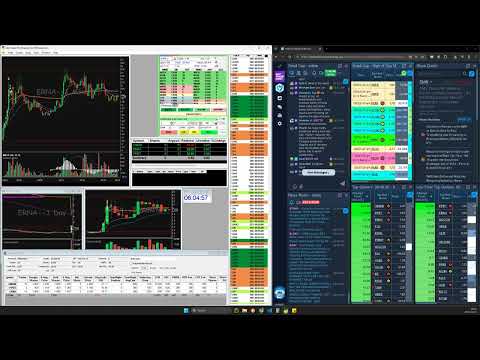
Description: This Chrome extension copies ticker symbols from the DayTradeDash / WarriorTrading platform directly to your clipboard for quick pasting (only copies UPPER CASE text fewer than 8 characters). Disclaimer: This is an independent, third-party tool not affiliated with, endorsed by, or supported by Warrior Trading or DayTradeDash. Use at your own discretion. The creator assumes no responsibility for any trading outcomes, profits, or losses resulting from the use of this extension.

Details

  • Version
    1.0
  • Updated
    November 7, 2025
  • Offered by
    AlwaysCurious
  • Size
    5.17KiB
  • Languages
    English
  • Developer
    Email
    jonnyk24@hotmail.com
  • Non-trader
    This developer has not identified itself as a trader. For consumers in the European Union, please note that consumer rights do not apply to contracts between you and this developer.

Privacy

The developer has disclosed that it will not collect or use your data.

This developer declares that your data is

  • Not being sold to third parties, outside of the approved use cases
  • Not being used or transferred for purposes that are unrelated to the item's core functionality
  • Not being used or transferred to determine creditworthiness or for lending purposes

Related

Clipboard Uppercase Converter

5.0

Converts clipboard text into uppercase with one click.

Superlink

0.0

Convert plain text URLs into clickable links.

Copy Titled Link

5.0

Copies the title and URL of the current page to the clipboard

Copy All Urls (Manifest Update Fork)

0.0

Copy tabs URL to clipboard (formats : text, HTML, JSON or custom). Paste to open multiple URL at one go.

Copy Link Name

3.3

Copies the name of a link (anchor text) to the clipboard.

Rich Text Copy

0.0

Copy selected text or the title of a tab to the clipboard as either a rich-text hyperlink or a markdown link.

CopyTabTitleUrl

4.5

Copy the title and URL to the clipboard.

Select & Copy HTML Text

2.9

Select part of an HTML document and copy the underlying text to the clipboard!

Auto Copy

4.7

Automatically copy selected text to the clipboard.

Copy Tabs Title URL

0.0

Copy the title and URL from a Chrome tabs

Auto Copy

2.9

Automatically copy selected text from any website to your clipboard!

Copy URL with Title (plain text/markdown)

3.1

Copy the title and URL in plain text/markdown format by keyboard shortcuts: Ctrl+C/Cmd+C for plain text, Alt+C/Opt+C for markdown.

Clipboard Uppercase Converter

5.0

Converts clipboard text into uppercase with one click.

Superlink

0.0

Convert plain text URLs into clickable links.

Copy Titled Link

5.0

Copies the title and URL of the current page to the clipboard

Copy All Urls (Manifest Update Fork)

0.0

Copy tabs URL to clipboard (formats : text, HTML, JSON or custom). Paste to open multiple URL at one go.

Copy Link Name

3.3

Copies the name of a link (anchor text) to the clipboard.

Rich Text Copy

0.0

Copy selected text or the title of a tab to the clipboard as either a rich-text hyperlink or a markdown link.

CopyTabTitleUrl

4.5

Copy the title and URL to the clipboard.

Select & Copy HTML Text

2.9

Select part of an HTML document and copy the underlying text to the clipboard!

Google apps