

Wapes - CRM & Marketing for WhatsApp
6 ratings
)
Overview
CRM for WhatsApp Web. Manage contacts, automate bulk messages, and export conversations to boost your business.
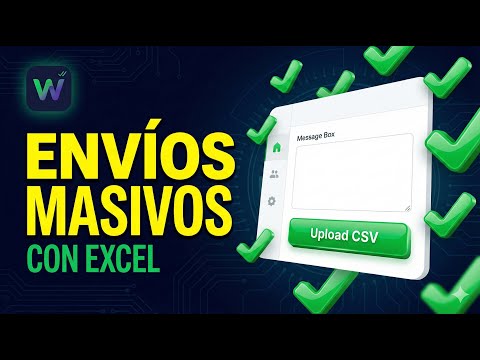
Wapes - CRM & Marketing Assistant for WhatsApp Web Transform your WhatsApp Web into a powerful CRM and bulk messaging powerhouse. Wapes is designed specifically for businesses, marketers, and professionals who need to communicate efficiently at scale—all from a single, easy-to-use extension. 🚀 KEY FEATURES & CAPABILITIES: ✅ Personalized Messaging: Send automated messages to thousands of contacts directly from your CSV or Excel files. ✅ Dynamic Variables: Personalize every interaction using variables like {{name}}, {{company}}, or any custom column from your spreadsheet. ✅ Media Attachments: Send images, videos, audio files, PDFs, and documents alongside your text. ✅ Message Templates: Save your most successful messages and reuse them instantly. ✅ Dry Run Mode: Validate and test your campaigns safely before sending a single real message. ✅ Real-Time Progress Tracking: Monitor the status of each contact live as your campaign runs. ✅ Export Campaign Results: Download comprehensive reports and delivery statuses as Excel files for your records. 🛡️ ADVANCED ANTI-BAN PROTECTION: • Smart Delays: Configurable, randomized delays (e.g., 15–60 seconds) between messages. • Human-like Behavior: Simulates real typing and sending patterns to protect your WhatsApp account. • Daily Limits: Built-in tracking to help you stay within safe sending volumes (recommended 900 messages/day). • Native Integration: Runs directly on top of your existing authorized WhatsApp Web session. 📋 HOW TO GET STARTED: Open WhatsApp Web (web.whatsapp.com). Click the floating Wapes icon that automatically appears on your screen. Upload your contact list (CSV/Excel). Compose your message using variables for personalization. Hit Send — or use Dry Run to test your setup first! 💡 WHO IS THIS FOR? • Marketing & Sales Teams: Launch targeted outreach campaigns. • Customer Service: Send bulk notifications, updates, and reminders. • Event Organizers: Distribute invitations, tickets, and event details. • Local Businesses: Keep in touch with your customer base efficiently. 📦 RECENT UPDATES (VERSION 1.3.4): ✅ Email Verification Flow: Enhanced security with email verification for new users. ✅ Multi-Language Support: Full internationalization with Spanish, English, and Portuguese. ✅ Phone Number Signup: Optional phone field during registration for better support. ✅ Improved Authentication: Fixed JWT token refresh and session management. ✅ Better UX: Password recovery link, version display, and responsive phone field layout. ⚠️ IMPORTANT DISCLAIMER: This extension is an independent tool that enhances WhatsApp Web. You must have an active WhatsApp account. Please use responsibly, respect user privacy, and adhere to WhatsApp's Terms of Service to avoid account restrictions. 🔒 PRIVACY FIRST: We respect your data. We collect only minimal, anonymous diagnostics (UUID, extension version, basic usage stats) strictly for service improvement. We never read, collect, or store your message content, contact lists, or personal information. Please review our Privacy Policy for full details. 📧 NEED HELP? Contact our support team anytime at: wapesbulk@gmail.com Website: https://wapes.lat
5 out of 56 ratings
Details
- Version1.3.4
- UpdatedMarch 24, 2026
- Offered bymeteleplaystore
- Size432KiB
- Languages3 languages
- Developer
Email
alejandrojesus.2338@gmail.com - Non-traderThis developer has not identified itself as a trader. For consumers in the European Union, please note that consumer rights do not apply to contracts between you and this developer.
Privacy

This developer declares that your data is
- Not being sold to third parties, outside of the approved use cases
- Not being used or transferred for purposes that are unrelated to the item's core functionality
- Not being used or transferred to determine creditworthiness or for lending purposes
Support
For help with questions, suggestions, or problems, please open this page on your desktop browser