

WAExportPro – Chat & Contacts Backup (PDF, CSV, TXT)
13 ratings
)

Overview
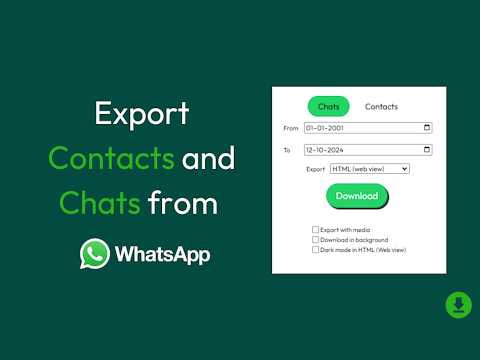
Export & backup WhatsApp Web chats, contacts & groups to PDF, CSV, TXT or HTML. One-click, 100% private — runs locally in Chrome.
Back up and export your WA Web conversations before they're gone. WA Chat Export & Backup lets you save entire chat histories — messages, dates and contacts — as a real PDF, CSV, TXT, or HTML file, all in one click from your browser. HOW IT WORKS Open WA Web, select any chat or group from the dropdown, choose your format, and hit Download. The export runs entirely in your browser — no login, no server, no upload. Your messages never leave your device. WHAT YOU CAN EXPORT (FREE) • Up to 100 messages per chat in TXT, CSV, HTML, or PDF • Select any individual or group chat • Filter by date range • Real PDF export — not a screenshot, a proper PDF that preserves layout, emoji, and RTL languages (Hebrew, Arabic) UPGRADE TO PRO — $9.95 LIFETIME • Unlimited messages (full chat history, paginating back as far as WA Web has synced) • Contacts and group-participant CSV export • Bulk multi-chat export in one ZIP • Removes upgrade prompts
5 out of 513 ratings
Details
- Version1.0.30
- UpdatedOctober 12, 2026
- Offered byMichael K
- Size4.04MiB
- Languages22 languages
- Developer
Email
michaelkehalim@gmail.com - Non-traderThis developer has not identified itself as a trader. For consumers in the European Union, please note that consumer rights do not apply to contracts between you and this developer.
Privacy

This developer declares that your data is
- Not being sold to third parties, outside of the approved use cases
- Not being used or transferred for purposes that are unrelated to the item's core functionality
- Not being used or transferred to determine creditworthiness or for lending purposes
Support
For help with questions, suggestions, or problems, please open this page on your desktop browser