


Overview
Export visible WhatsApp Web contacts and phone numbers to Excel or CSV for cleanup and CRM preparation.
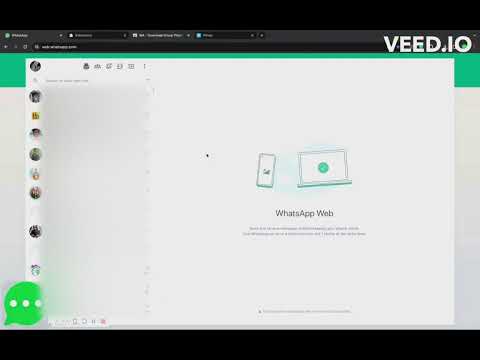
Download the phone numbers of WhatsApp Web groups you belong to as a clean Excel (.xlsx) workbook. Choose one group, several groups, or all groups in one go. The first 10 contacts of an export are free, so you can open the file and check it before paying. HOW IT WORKS 1. Open WhatsApp Web in desktop Chrome and sign in. 2. Open the extension and choose one group, several groups, or All groups. You can also export all contacts, Business labels, open chats, or broadcast lists. 3. Pick the columns you need and click Download. 4. Open the workbook in Excel or Google Sheets. WHAT YOU CAN EXPORT • Group members, from one group, several groups, or all groups at once • All contacts • WhatsApp Business labels • Open chats and broadcast lists COLUMNS YOU CAN CHOOSE • Phone number with country code • Saved name and public profile name • Source group, so you know where each number came from • Admin or member status • Saved or unsaved contact status The file is Excel (.xlsx) only. If you need CSV, open the workbook in Excel or Google Sheets and use Save As, then CSV UTF-8. Guides: https://contacts.wawebplus.com/guides/ PRICING • Free: the first 10 contacts of an export, so you can check the output first. • Monthly: $7.99/month, renews until you cancel. • One-time passes (no renewal): 30 days for $9.99, or 6 months for $25.99. • In India, UPI is available for the one-time passes (₹649 for 30 days, ₹2,500 for 6 months). After paying for a pass, send the payment proof and the WhatsApp number you use to support. Passes are activated manually once the payment is checked. To cancel a monthly subscription, use Cancel Subscription in the extension footer, or contact support. PRIVACY AND LIMITS • The extension runs in your own signed-in Chrome browser with WhatsApp Web. The Excel file is saved on your computer. • It uses only contact details that your WhatsApp Web session already shows you. Numbers that members hide with privacy settings stay hidden. The extension does not bypass WhatsApp, group admin settings, or unavailable data. • For a complete group member list you generally need to be a group admin, and the numbers must be visible to you. • Payments go through a secure payment provider. The extension does not upload your exported contact list to our servers. Use exported contacts only with appropriate authorization and consent, and follow applicable law. WHO IT IS FOR • Community, school, and coaching group admins who keep member lists • Sales and real-estate teams who move group leads into a CRM • Event organisers and shop owners who tidy up customer lists FAQ • Why did I only get 10 rows? That is the free sample. Pay only if the file looks right. If you only need one export, a 30-day pass ($9.99, or ₹649 by UPI) does not renew. • Why are some numbers missing? The extension can export only what WhatsApp Web already shows you. Hidden numbers, privacy settings, or not being a group admin can leave rows incomplete. • Can I get a CSV file? Yes, by saving the Excel workbook as CSV UTF-8 in Excel or Google Sheets. The extension itself downloads .xlsx only. • How do I get help? https://contacts.wawebplus.com/support This is an independent product. It is not affiliated with, endorsed by, or sponsored by WhatsApp or Meta. WhatsApp is a trademark of Meta Platforms, Inc. Website: https://contacts.wawebplus.com/ Support: https://contacts.wawebplus.com/support Privacy: https://contacts.wawebplus.com/privacy
4.5 out of 5350 ratings
Details
- Version1.0.1.4
- UpdatedNovember 13, 2026
- FeaturesOffers in-app purchases
- Size9.42MiB
- LanguagesEnglish
- Developer
- Non-traderThis developer has not identified itself as a trader. For consumers in the European Union, please note that consumer rights do not apply to contracts between you and this developer.
Privacy

This developer declares that your data is
- Not being sold to third parties, outside of the approved use cases
- Not being used or transferred for purposes that are unrelated to the item's core functionality
- Not being used or transferred to determine creditworthiness or for lending purposes
Support
For help with questions, suggestions, or problems, visit the developer's support site