

WA Chat Export & Backup: Chats & Contacts to PDF, Excel/CSV, HTML & TXT

Overview
Export your WhatsApp Web chats, the members of chats and groups you pick, and your saved contacts to files on your computer.
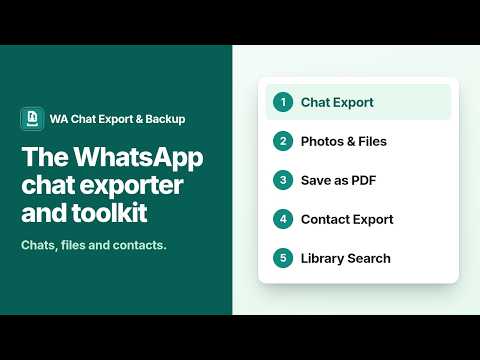
Export your WhatsApp Web chats, the members of chats and groups you pick, and your saved contacts to files on your computer. Open a chat in WhatsApp Web, click the extension, and choose Export this chat. The extension scrolls the open chat, reads the messages the page shows, and saves them as TXT, JSON, CSV, and an offline HTML page. You start every export with a click, and you can stop it at any time. The extension never sends messages. What an export holds: - The messages WhatsApp Web loads for the open chat, from the oldest one it loads to the newest. WhatsApp Web may not load a chat's oldest messages, and the export says where it stopped. - A completeness report in every file: the dates covered, and counts of messages and media that are not available, such as view-once and disappearing messages. - An offline HTML page that opens in any browser and loads nothing from the internet. The library keeps each export as its own entry in the browser on this computer, with a short label that tells two exports of the same chat apart. You can search across them with filters for sender and date, and a result whose photo or file was not saved says why, such as needing All tools. Search works offline. Export contacts (All tools): on a chat you open, or on up to 5 groups you pick and confirm one by one, the extension opens the chat's info panel with its own info button and saves the names it shows as CSV, Excel, and vCard, with a report. A number is saved only when the panel shows it on screen, for a direct chat; group members are saved by name, without numbers. With My saved contacts, it reads your saved contacts from the database WhatsApp Web keeps in this browser when you press Start, and keeps only the name and number of each contact WhatsApp marks as saved; contacts you have not saved are not exported. Contact Export has no daily limit; it reads at most 5 groups a run, one at a time with a pause between them. Free plan: - 3 exports a day, any chat, to TXT, JSON, CSV, and HTML. An export counts when it saves its first file; one that saves no file doesn't count. - No media files. The missing-media report lists each item as needing All tools. - Search every export in the library. All tools ($8.99 a month, $49.99 a year, or $74.99 lifetime): - No daily limit on chat exports or on Contact Export. Contact Export reads at most 5 groups a run, one at a time with a pause between them. - Saves the photos and files the browser session can reach, with a missing-media report for the rest. - A media manifest with each saved file's SHA-256 hash. Not affiliated with WhatsApp or Meta.
0 out of 5No ratings
Details
- Version3.4.13
- UpdatedNovember 20, 2026
- FeaturesOffers in-app purchases
- Offered bysupport@blackfyre.cc
- Size436KiB
- Languages2 languages
- Developer
Email
support@blackfyre.cc - Non-traderThis developer has not identified itself as a trader. For consumers in the European Union, please note that consumer rights do not apply to contracts between you and this developer.
Privacy

WA Chat Export & Backup: Chats & Contacts to PDF, Excel/CSV, HTML & TXT has disclosed the following information regarding the collection and usage of your data. More detailed information can be found in the developer's privacy policy.
WA Chat Export & Backup: Chats & Contacts to PDF, Excel/CSV, HTML & TXT handles the following:
This developer declares that your data is
- Not being sold to third parties, outside of the approved use cases
- Not being used or transferred for purposes that are unrelated to the item's core functionality
- Not being used or transferred to determine creditworthiness or for lending purposes
Support
For help with questions, suggestions, or problems, please open this page on your desktop browser