

Vzlyze: Full Page Screenshot, Offline OCR & Word (.docx) Export

Overview
Full-page screenshot capture, offline OCR text & QR scanner, PII redaction, BYOK AI, and Word (.docx) & PDF report export.
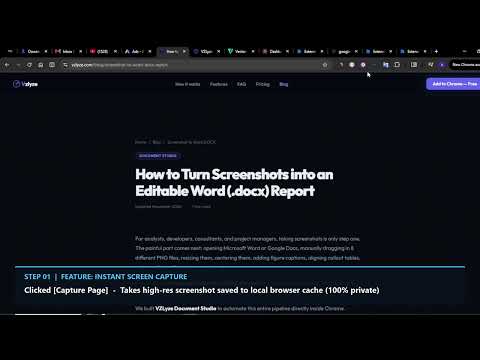
Turn browser screenshots into editable Microsoft Word (.docx) reports, extract text with offline OCR, auto-anonymize PII, and analyze visuals with BYOK AI — 100% accountless and local-first. Vzlyze is a fast, privacy-first Chrome screenshot extension built for consultants, QA engineers, researchers, students, and e-commerce sellers who want more than a raw PNG file. No login, no cloud uploads, and no monthly subscriptions. 📸 FREE FOREVER — FULL-PAGE SCREENSHOT & LOCAL TOOLS • Full-Page Screenshot Capture: Scroll-stitching captures entire webpages seamlessly from header to footer. • Visible Area & Custom Selection: Snap the current viewport or draw a rectangle, ellipse, or freehand region with crosshair guides. • Offline Local OCR (Extract Text from Screenshot): 100% offline text extraction powered by in-browser Tesseract OCR — copy text from images, paused videos, or locked PDFs. • Offline QR Code & Barcode Scanner: Decode QR codes and barcodes directly on your screen with instant copyable links. • Auto-Anonymize PII & Redaction: Automatically redact text PII (emails, phone numbers, credit cards, IP addresses) and barcodes locally, plus automatic face & signature blur with Gemini BYOK and manual blur tools in the Annotate toolbar. • Instant Exports: Save pixel-perfect PNG, JPEG, WebP, or clean local PDF reports, or copy straight to your clipboard. • Keyboard Shortcuts: Alt+Shift+S (visible), Alt+Shift+F (full page), Alt+Shift+C (copy last capture). 📄 DOCUMENT STUDIO & WORD (.DOCX) EXPORT (LIFETIME PRO) Stop manually dragging screenshots into Microsoft Word, resizing every image, and typing captions by hand: • Multi-Figure Scrapbook Tray: Pin screenshots across multiple tabs into one organized session tray. • Native Microsoft Word (.docx) Generator: Compile multi-figure dossiers into editable .docx reports with executive cover pages, automated figure numbering, priority findings tables, and custom branding. • Export standalone PDF reports or copy formatted Markdown with one click. 🤖 ZERO-MARKUP BYOK AI (BRING YOUR OWN KEY) Connect your own Anthropic (Claude), OpenAI (ChatGPT / GPT-4o), or Google (Gemini) API key directly from your browser with zero platform markup: • 5 Vision Modes: Visual Copilot Q&A, Strategic Deep Audit, UI Bug Debug, Handwriting OCR, and Side-by-Side Comparison. • Includes 3 free trial queries out of the box — no login or credit card required. Upgrade to Lifetime Pro for unlimited BYOK queries. 🔒 100% ACCOUNTLESS & PRIVACY-FIRST • No accounts, no cloud database tracking your captures, and your API keys stay strictly in your local browser storage. 💳 SIMPLE PRICING — ZERO SUBSCRIPTIONS • Free Forever: All core screenshot capture, annotation, PII redaction, offline OCR, QR scanner, PNG/PDF export, and 3 free BYOK AI trial queries. • Lifetime Pro ($19 Solo for 1 PC / $49 Multi-PC for up to 3 PCs): One-time payment to unlock Document Studio (.docx export), Scrapbook export, and unlimited BYOK AI forever. Website & Guides: https://vzlyze.com Support: support@vzlyze.com
0 out of 5No ratings
Details
- Version1.2.2
- UpdatedNovember 23, 2026
- FeaturesOffers in-app purchases
- Size13.22MiB
- LanguagesEnglish
- DeveloperWebsite
Email
support@vzlyze.com - Non-traderThis developer has not identified itself as a trader. For consumers in the European Union, please note that consumer rights do not apply to contracts between you and this developer.
Privacy

This developer declares that your data is
- Not being sold to third parties, outside of the approved use cases
- Not being used or transferred for purposes that are unrelated to the item's core functionality
- Not being used or transferred to determine creditworthiness or for lending purposes
Support
For help with questions, suggestions, or problems, please open this page on your desktop browser