

VoxCue: AI Transcript, Summary & Subtitles for YouTube & Any Video

Overview
Get a transcript, AI summary and live subtitles for YouTube and any web video. Translate subtitles and export SRT. Free daily.
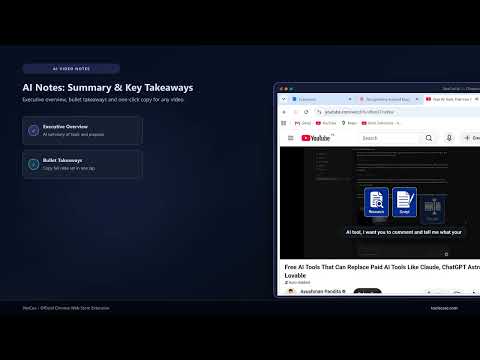
Get a YouTube transcript, AI summary and live subtitles for any video. Turn video to text in one click, without downloading anything. VoxCue is a real-time AI video transcription and subtitle extension built directly into your Chrome sidebar. Detect any video playing on the web, generate a live timestamped transcript, overlay floating captions on the player, and translate the content into 30+ languages — without switching tabs or uploading files. 🎙️ WHAT IS VOXCUE? Every time you start a video on YouTube, Vimeo, LinkedIn, X, Facebook or any educational platform, VoxCue detects the active player and begins transcribing immediately. The spoken audio is converted to text in real time, broken into timestamped segments, and displayed in both a synchronized side panel transcript and a floating subtitle overlay directly on the video. Click any transcript segment to seek the video to that moment. Search the full transcript to jump to any word or phrase. Export your notes in one tap. 📺 CORE FEATURES: ❖ 🎙️ Live AI Transcription: - Real-time speech-to-text streaming for any browser-compatible video. - Timestamped segments updated continuously as the speaker talks. - Works on YouTube, Vimeo, LinkedIn Learning, Coursera, Udemy, news sites and more. - Speaker detection labels each segment with a speaker identifier. - Scroll-sync mode keeps the active segment always visible as the video plays. ❖ 📺 On-Video Subtitle Overlay: - Floating subtitle captions rendered directly over the video player via Shadow DOM — no CSS conflicts with any website. - Subtitles follow the current playback position and update in real time. - Toggle captions on or off with a single click without stopping transcription. - Bottom-aligned positioning stays out of the way of UI controls on any platform. ❖ 🌍 Multi-Language Translation: - Translate the entire transcript and live subtitles into 30+ languages in one click. - Supported target languages include Urdu, Hindi, Spanish, Arabic, French, German, Portuguese, Japanese, Korean and more. - Auto-detect the source spoken language — no manual selection needed. - View the original audio and translated subtitle streams simultaneously. ❖ 🎨 Subtitle Style Customization: - Five built-in subtitle display presets: Translucent Glass, Cinema Yellow, Studio Cyan, Top Stream and Max Contrast. - Color and contrast themes let you match captions to the video content and lighting conditions. - Adjust font size, opacity and placement without reloading or restarting the session. ❖ 🤖 AI Video Notes & Insights: - One-click AI summarization generates an Executive Overview of the video's topic and purpose. - Key Takeaways — distilled bullet points of the most important statements and facts. - Copy the full AI note set as plain text for meetings, study sessions, or written reports. - Regenerate notes at any time during or after the session. ❖ 📖 Interactive Chapter Navigation: - VoxCue automatically detects logical chapter boundaries: Introduction, Problem Statement, Core Content and Conclusion. - Each chapter displays as a clickable card with a precise timestamp. - Tap any chapter to seek the video directly to that point — navigate long lectures or interviews like a document. - Chapter detection works regardless of whether the platform provides native chapters. ❖ 🔍 Full Transcript Search: - Search box scans the entire session transcript for any spoken word or phrase. - Results highlight matching segments and jump the video playback to that position. - Ideal for revisiting key moments in long lectures, webinars or interviews. 📹 WORKS ON ANY VIDEO PLATFORM: - YouTube — detect and transcribe any video including auto-dubbed content. - Vimeo — transcribe private and public embeds. - LinkedIn Learning, Coursera, Udemy — capture course lectures in full. - Facebook, X, Reddit — capture social media video content. - News sites, documentation pages, tutorial platforms — any site with an HTML5 player. - Generic iframe embeds and custom video players using the tabCapture pipeline. 🎯 BUILT FOR STUDENTS, RESEARCHERS & PROFESSIONALS: - Study faster — capture lecture content in seconds, skip rewinding. - Research smarter — search spoken content instead of scrubbing timelines. - Accessibility — add subtitles to any video that lacks native captions. - Language learners — read in your native language while listening to the original. - Content creators — generate transcripts and chapter outlines for production notes. - Meeting preparation — capture key takeaways from webinars and recorded calls. 🔄 HOW IT WORKS — THREE STEPS: 1. Play any video in your browser. 2. VoxCue detects the video automatically and shows a Start button in the sidebar. 3. Click Start — live subtitles appear on screen and the transcript builds in real time. Translate, search, navigate by chapter, or generate AI notes — all without leaving the page. 🔒 PRIVACY & SECURITY: ❖ All transcription processing uses encrypted HTTPS connections. ❖ Audio data is streamed to the AI service only while transcription is actively running. ❖ VoxCue does NOT record or store audio after the session ends. ❖ No browsing history is collected, tracked or sold. ❖ The subtitle overlay uses an isolated Shadow DOM — it never reads or modifies the host page's content or cookies. ❖ A free Toolscase account is required to access AI features. Unauthenticated users can view the interface but cannot start transcription. Export the transcript as SRT, VTT, TXT or JSON. Free: 15 minutes of transcription a day with a free Toolscase account. Pro: 5 hours a day and full-length videos. 🛠️ TOOLSCASE PRODUCTIVITY ECOSYSTEM: VoxCue is part of the Toolscase browser productivity suite: ❖ LeadIntel AI — B2B company intelligence: verified emails, tech stack detection and AI prospect scoring. ❖ AskFiles AI — Chat with any PDF, CSV or spreadsheet using AI. Get cited answers instantly. ❖ CompareLens AI — Real-time product specification and price comparison across major e-commerce platforms. ❖ FocusPulse AI — AI-powered deep work timer with personalised coaching and focus analytics. ❖ ApplyFlow AI — One-click AI job application assistant with CV tailoring and cover letter generation. Discover more at toolscase.com
0 out of 5No ratings
Details
- Version1.2.0
- UpdatedOctober 27, 2026
- Size331KiB
- LanguagesEnglish
- DeveloperHassan Saeed ChohanWebsite
House No 359, Mohallah Sheikhan , Zafarwal Tehsil Zafarwal District Narowal Zafarwal, Narowal 54000 PKEmail
hassanchohan10@gmail.comPhone
+92 301 1226722 - TraderThis developer has identified itself as a trader per the definition from the European Union and committed to only offer products or services that comply with EU laws.
Privacy

VoxCue: AI Transcript, Summary & Subtitles for YouTube & Any Video has disclosed the following information regarding the collection and usage of your data. More detailed information can be found in the developer's privacy policy.
VoxCue: AI Transcript, Summary & Subtitles for YouTube & Any Video handles the following:
This developer declares that your data is
- Not being sold to third parties, outside of the approved use cases
- Not being used or transferred for purposes that are unrelated to the item's core functionality
- Not being used or transferred to determine creditworthiness or for lending purposes
Support
For help with questions, suggestions, or problems, visit the developer's support site