

Voltura Reel Player

Overview
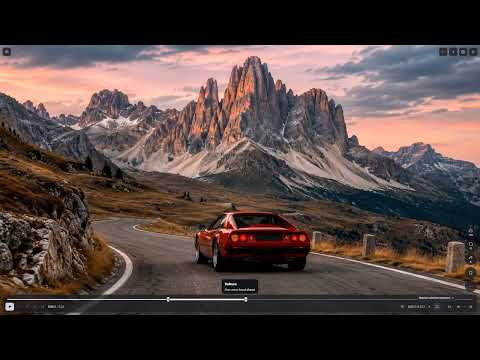
Fullscreen playback controls for Facebook Reels.
Watch Facebook Reels fullscreen in Chrome with precise playback controls. Switch reels without leaving fullscreen, step through a moment, or repeat a section. • Step by 0.1 seconds, scrub the timeline, and choose speeds from 0.10× to 4×. • Repeat the whole reel or set a range with handles or A/B marks. • Zoom up to 10×, pan, and save an available paused frame as a full-resolution PNG. • Hide reel overlays and choose a theme, language, and control bar width. Open a Facebook reel and click the fullscreen button near the reel navigation. Hover over controls for shortcuts. The extension works on desktop Chrome. Facebook actions depend on the controls available on the current reel.
0 out of 5No ratings
Details
- Version1.0.0
- UpdatedNovember 15, 2026
- Offered byJoakim Skoglund
- Size107KiB
- LanguagesEnglish
- DeveloperJOAKIM SKOGLUND
Hästholmsvägen 33 Nacka 13171 SEEmail
joakim@voltura.sePhone
+46 76 709 94 73 - TraderThis developer has identified itself as a trader per the definition from the European Union and committed to only offer products or services that comply with EU laws.
Privacy

This developer declares that your data is
- Not being sold to third parties, outside of the approved use cases
- Not being used or transferred for purposes that are unrelated to the item's core functionality
- Not being used or transferred to determine creditworthiness or for lending purposes
Support
For help with questions, suggestions, or problems, visit the developer's support site