

Voicy - Speech-to-Text Dictation & Voice Typing

Overview
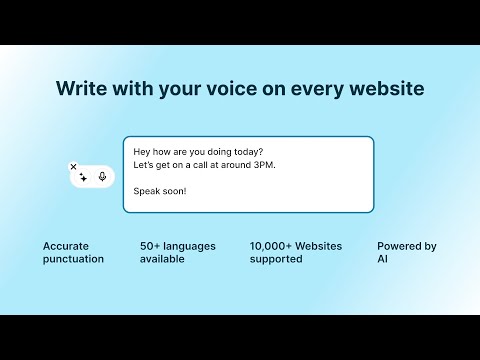
Voice typing on any website. Dictate in +20,000 websites. +99% accurate speech to text.
Voice typing on any website. Dictate in Gmail, Outlook, Word, Google Docs, and +20,000 more. Use voice to text on any website 🎙️ Voicy is an AI dictation and speech-to-text Chrome extension that lets you write wherever you work online. Dictate emails, documents, messages, comments and forms directly in website text fields. Try Voicy with 30 minutes of free recording time. TALK TO TEXT ACROSS THE WEB - Dictation for Gmail and Outlook: write emails and replies in their web apps. - Draft documents with voice typing in Word for the web and Google Docs. - Write messages on chat websites, join conversations and share your ideas. - Capture notes, write comments and fill out forms wherever you work online. Your text appears in the field where you are working, so you can keep writing without copying your draft between tabs. ACCURATE SPEECH RECOGNITION IN 50+ LANGUAGES Get over 99% accuracy in more than 50 languages, including English, German, French, Spanish, Portuguese and Chinese. AI GRAMMAR, PUNCTUATION AND TRANSLATION Voicy adds punctuation and corrects grammar automatically, helping your messages and longer drafts read clearly with less editing. Use spoken instructions to draft or rewrite text, or translate your message into another language. LESS TYPING, LESS STRAIN Use Voicy as a dictation app for everyday browser writing. Give your hands a break when typing feels slow, tiring or uncomfortable. Speaking instead of typing can also make writing more accessible for people with hand or wrist pain. HOW TO GET STARTED 1. Install Voicy and open a website where you want to write. 2. Click inside a text field and start recording with the Voicy microphone button or your configured keyboard shortcut. 3. Speak, stop recording and review your text before sending or saving it. FREE RECORDING TIME AND PAID PLANS (USD) Start with 30 minutes of free recording time. Paid options are: - Monthly: $8.49/month - Annual: $82/year - Lifetime: $260, paid once PRIVACY Voicy processes your speech to create your text. Your recordings and transcriptions are not retained after processing. Read our privacy policy at https://usevoicy.com/legal-pages/privacy-policy. WEBSITE ACCESS Voicy uses content scripts that run when pages load, including embedded frames, to make speech-to-text available in website text fields. SUPPORT Questions or feedback? Email kourosh@usevoicy.com.
4.6 out of 5102 ratings
Details
- Version2.4.0
- UpdatedOctober 23, 2026
- FeaturesOffers in-app purchases
- Size2.59MiB
- Languages11 languages
- DeveloperWebsite
Email
ghaffarikourosh8@gmail.com - Non-traderThis developer has not identified itself as a trader. For consumers in the European Union, please note that consumer rights do not apply to contracts between you and this developer.
Privacy

Voicy - Speech-to-Text Dictation & Voice Typing has disclosed the following information regarding the collection and usage of your data. More detailed information can be found in the developer's privacy policy.
Voicy - Speech-to-Text Dictation & Voice Typing handles the following:
This developer declares that your data is
- Not being sold to third parties, outside of the approved use cases
- Not being used or transferred for purposes that are unrelated to the item's core functionality
- Not being used or transferred to determine creditworthiness or for lending purposes
Support
For help with questions, suggestions, or problems, please open this page on your desktop browser