

VoiceRibbon — Voice to Text
2 ratings
)
Overview
Dictate text, transcribe browser audio, translate transcripts, and control writing with customizable voice commands.
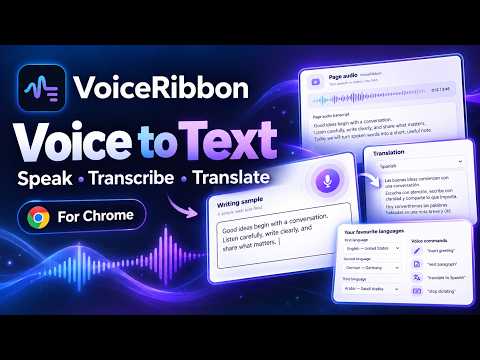
VoiceRibbon turns speech and browser audio into useful text. Dictate directly into supported web pages, transcribe audio playing in your browser tab, and translate completed transcripts when you need them. VoiceRibbon supports multilingual voice productivity with quick language switching and customizable voice commands for editing and formatting text. Main features: • Voice dictation directly into supported web page text fields • Browser tab audio transcription • Translation of completed transcripts, where Chrome supports the language pair • Multiple dictation and transcription languages • Custom voice commands • Built-in punctuation and editing commands • Quick switching between favorite languages • Copyable transcription and translation output • Text formatting and cleanup options • Independent source and translation language selection Privacy VoiceRibbon does not send dictated or transcribed text to its licensing system. Speech recognition uses your browser's speech service, which may process audio outside your device. Translation uses the browser's on-device translation API where available; the browser may download language models. See the Privacy Policy for details. Free access VoiceRibbon includes 30 minutes of microphone dictation and 30 minutes of browser-tab transcription per day, with separate daily budgets. No activation code or account is required for this free release. Pro activation and purchases are not yet available. Daily usage is stored locally and resets at local midnight. Chrome 137 or later is required. Local translation requires Chrome 138 or later with Translator support, a supported language pair and a compatible device. Recognition accuracy and editor compatibility vary. Chrome internal pages and some website editors restrict direct insertion; a copyable dictation box is available. For support, contact nexaforgelab@gmail.com.
5 out of 52 ratings
Details
- Version0.1.11 — Release candidate 7
- UpdatedOctober 26, 2026
- Offered byNexaForge Lab
- Size114KiB
- Languages3 languages
- Developer
Email
nexaforgelab@gmail.com - Non-traderThis developer has not identified itself as a trader. For consumers in the European Union, please note that consumer rights do not apply to contracts between you and this developer.
Privacy

VoiceRibbon — Voice to Text has disclosed the following information regarding the collection and usage of your data. More detailed information can be found in the developer's privacy policy.
VoiceRibbon — Voice to Text handles the following:
This developer declares that your data is
- Not being sold to third parties, outside of the approved use cases
- Not being used or transferred for purposes that are unrelated to the item's core functionality
- Not being used or transferred to determine creditworthiness or for lending purposes