


Overview
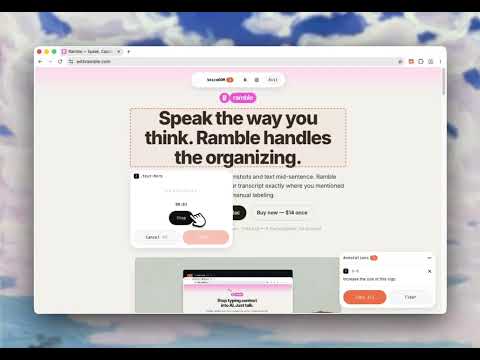
Point at any element, talk, and send voice feedback to Claude Code, Cursor, or ChatGPT.
VoiceDOM — Voice notes for any web page. Send to ChatGPT, Claude, or Cursor. Click anything on a web page, say what you want changed, and VoiceDOM sends the whole list to your AI coding tool. No more typing "the button on the left" — just point and talk. The fastest way to give feedback on a website, report a bug, or tell an AI coding agent exactly what to fix. Works on any site — your own app, a client's site, your localhost, anywhere. 🎤 What you can do: ◉ Click any element on a page — button, image, text, anything ◉ Talk into your mic — VoiceDOM writes down what you said ◉ Or type a note if you'd rather not talk ◉ Build a list of notes as you browse, across multiple pages ◉ Send the whole list to ChatGPT, Claude Code, Cursor, or any AI tool with one click 💡 Great for: ◉ Vibe-coders shipping with AI agents ◉ Frontend developers reviewing their own work ◉ Designers leaving feedback on a live site ◉ Product managers writing bug reports without screenshots-in-Figma gymnastics ◉ Anyone tired of typing "the third card from the top, on mobile, in the dark mode header" 🤩 You will love: ◉ Easy point-and-click element picker (like Chrome DevTools, but friendlier) ◉ Voice notes with automatic transcription ◉ Works on every site — React apps, dashboards, WordPress, anything ◉ Notes stay saved across page reloads and navigation ◉ One-click copy to clipboard as clean Markdown ◉ Sidebar shows all your notes, grouped by page ◉ Floating toolbar you can drag anywhere ◉ Settings page to manage all your notes by site ◉ Free forever with the included Groq transcription ◉ Bring your own API key — your audio never touches our servers 🤖 Built for AI coding agents: VoiceDOM is the missing link between you and Claude Code, Cursor, ChatGPT, or OpenAI Codex. Every note comes with the exact CSS selector, page URL, and React component name — so your AI knows exactly what you're pointing at. 🚀 PRO Features One-time purchase. No subscription. Ever. ◉ Live MCP server (npx voicedom-mcp) — Claude Code, Cursor, and Codex CLI read your notes directly, no copy-paste needed ◉ More transcription engines — OpenAI Whisper, Deepgram, ElevenLabs, AssemblyAI, and xAI Grok ◉ Element screenshots — auto-captured PNG of exactly what you clicked ◉ Screenshots saved to your Downloads and linked in the export, so your AI can actually see them ◉ Switch transcription engines anytime 🔒 Private by design: ◉ Your API keys stay in your browser ◉ Your audio goes only to the transcription service you choose ◉ Your notes are stored locally — never on our servers ◉ The MCP server runs on your own machine One more thing: Free tier gives you everything you need to start — voice notes, element picker, and clipboard export to any AI tool. Upgrade to Pro when you want the live MCP connection, screenshots, and premium transcription engines.
0 out of 5No ratings
Details
- Version1.1.1
- UpdatedJune 12, 2026
- FeaturesOffers in-app purchases
- Size208KiB
- LanguagesEnglish
- DeveloperEduardo Higareda GutierrezWebsite
C. Mariano Matamoros 584 Monterrey, N.L. 64000 MXEmail
eldelentes@gmail.com - Non-traderThis developer has not identified itself as a trader. For consumers in the European Union, please note that consumer rights do not apply to contracts between you and this developer.
Privacy

This developer declares that your data is
- Not being sold to third parties, outside of the approved use cases
- Not being used or transferred for purposes that are unrelated to the item's core functionality
- Not being used or transferred to determine creditworthiness or for lending purposes
Support
For help with questions, suggestions, or problems, visit the developer's support site