


개요
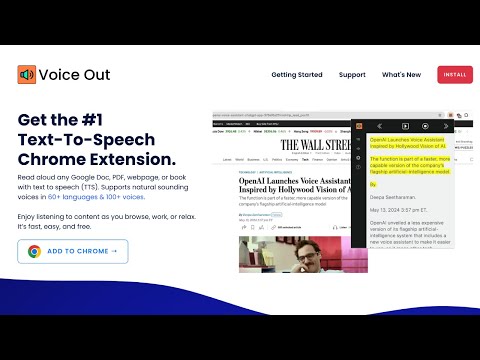
텍스트 음성 변환을 사용하여 자연스러운 소리의 음성으로 웹페이지, Google 문서, PDF 또는 책을 읽습니다.
Voice Out text-to-speech extension lets you read aloud any webpage, Google Doc, PDF, webpage, or ebook with clarity and precision. It brings your documents to life in over 30 languages and 130 natural-sounding voices. Key Features: ➤ Extensive Language Support: Experience the freedom to listen in more than 30 languages, accommodating a global audience and a wide range of linguistic needs. ➤ Vast Voice Selection: Choose from over 130 voices to find the tone and pace that suit your listening preferences. Our voices aren’t just robotic; they’re crafted to sound natural and engaging. ➤ Multi-Format Compatibility: Whether it’s web articles, official documents in Google Docs or PDFs, or entire books, Voice Out handles them with ease. Enjoy seamless integration with all major text formats. ➤ Customizable Listening Experience: Adjust the speed, pitch, and volume of the speech. Tailor every reading to match your personal or environmental needs. ➤ Custom Voices: Supports voices from OpenAI, Google, Microsoft and Amazon using API keys. ➤ Accessibility Options: Designed with accessibility in mind, Voice Out is a valuable tool for users with dyslexia, visual impairments, or anyone who benefits from auditory learning. ➤ User-Friendly Interface: Activate Voice Out with just a click! Use it directly on any webpage or import your files for an instant read-aloud experience. ➤ Educational and Professional Utility: Perfect for students, professionals, and casual readers. Listen to your study material, absorb lengthy reports without strain, or enjoy your favorite blogs and books while multitasking. How Voice Out Works: 1. Install and Navigate: Simply add Voice Out to your browser and navigate to any text-based content. 2. Activate: Click the Voice Out icon or use intuitive keyboard shortcuts to start listening. 3. Customize: Easily access settings to change voices or adjust reading parameters like speed to enhance your listening experience. 4. Enjoy: Transform any text into speech and enjoy listening to content as you browse, work, or relax. For support or if you have any feedback, reach us at support@voiceout.app
5점 만점에 4.2점평점 160개
세부정보
개인정보 보호

개발자가 사용자 데이터에 관해 다음과 같이 선언했습니다
- 승인된 사용 사례를 제외하고 서드 파티에 판매하지 않음
- 항목의 핵심 기능과 관련 없는 목적으로 사용하거나 전송하지 않음
- 신용도 판단 또는 대출 목적으로 사용하거나 전송하지 않음
지원
질문, 제안 또는 문제와 관련하여 도움이 필요하시면 개발자의 지원 사이트를 방문하세요.