

Voice Dictation for Gmail – AI Speech to Text on all Sites → WriteByVoice

Overview
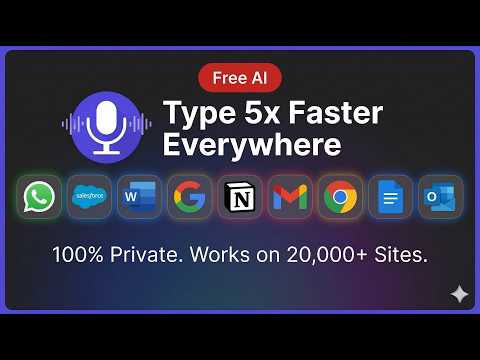
Dictate Gmail emails by voice. Type 5x faster with AI speech to text & voice dictation on 20,000+ sites. 100% private and secure.
Speak instead of type. WriteByVoice is the Chrome extension that turns your voice into AI-written email replies in Gmail, and lets you dictate naturally into any text field across the web. WHAT MAKES THIS DIFFERENT FROM REGULAR VOICE TYPING Most voice tools just transcribe what you say, word for word. WriteByVoice goes further: it reads the email thread you're replying to, understands the context, and composes a complete, professional reply from your short spoken intent. You say: "tell them yes, I'm in, suggest Thursday afternoon" AI writes: a full polished reply that matches your tone and threads correctly. KEY FEATURES ✓ AI email replies in Gmail, full contextual replies from a few spoken words ✓ Voice typing across the web, works in most text fields you can type into ✓ 50+ languages supported ✓ One-click install, works instantly in Gmail ✓ Free plan with 60 minutes per month, no card required ✓ Privacy-first: voice and text are NOT stored PERFECT FOR - Sales reps who live in Gmail - Founders and executives juggling 100+ daily emails - Consultants drafting client follow-ups - Anyone who thinks faster than they type PRICING - Free — 60 minutes/month, 3-minute clip cap - Premium ($6.99/mo) — unlimited voice, 20-minute clips, no signature GETTING STARTED 1. Click Add to Chrome above 2. Pin the WriteByVoice icon to your toolbar (puzzle icon in Chrome → pin) 3. Open Gmail, hit reply on any email, and click the new mic button 4. Speak naturally, AI handles the rest PRIVACY WriteByVoice does NOT store your audio recordings or the text generated from them. Your voice and writing stay private. Try the free plan today, no credit card, no trial countdown, just 60 minutes of voice per month to see if it fits your workflow.
4.4 out of 529 ratings
Details
- Version2.6.2
- UpdatedAugust 31, 2026
- FeaturesOffers in-app purchases
- Size1.07MiB
- LanguagesEnglish
- DeveloperWebsite
Email
oratore25@gmail.com - Non-traderThis developer has not identified itself as a trader. For consumers in the European Union, please note that consumer rights do not apply to contracts between you and this developer.
Privacy

Voice Dictation for Gmail – AI Speech to Text on all Sites → WriteByVoice has disclosed the following information regarding the collection and usage of your data. More detailed information can be found in the developer's privacy policy.
Voice Dictation for Gmail – AI Speech to Text on all Sites → WriteByVoice handles the following:
This developer declares that your data is
- Not being sold to third parties, outside of the approved use cases
- Not being used or transferred for purposes that are unrelated to the item's core functionality
- Not being used or transferred to determine creditworthiness or for lending purposes
Support
For help with questions, suggestions, or problems, visit the developer's support site