

Voice Control for ChatGPT

Visão geral
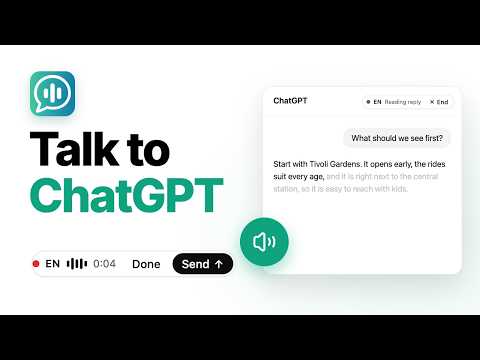
Expands ChatGPT with fast voice control in multiple languages, read aloud, and more!
Voice Control for ChatGPT gives you a smoother, faster way to interact using speech input, hands-free replies, read-aloud, keyboard shortcuts, and custom voice commands with a personal dictionary. Ideal for users who want greater speed, flexibility, and control. Key features: 🎤 Fast speech recognition in multiple languages ⌨️ Push-to-talk: hold the spacebar or click the microphone to speak 👐 Hands-free mode with optional automatic submission and read-aloud 🌍 Pre-select your speech-input language ⚡ Custom Dictionary: define voice actions and word replacements to correct misheard words or expand short phrases into longer prompts 🗣️ Read-aloud button with selectable voices 📣 Optional automatic read-aloud 📦 Save ChatGPT audio to your computer Compatibility: Designed for Chrome on desktop. Speech recognition and read-aloud availability may vary depending on browser and operating-system capabilities. Mobile devices are not supported. How to use: 1. Install the extension. 2. Go to chatgpt.com. 3. Log in or create a ChatGPT account. 4. Click the microphone or hold the spacebar to speak. 5. Allow microphone access when prompted. Need help or found an issue? Contact us through the Chrome Web Store support section or at support@voicecontrol.chat. About: Voice Control for ChatGPT is developed by Aidia ApS. It is an independent extension and is not affiliated with, endorsed by, or sponsored by OpenAI.
3,4 de 5675 notas
Detalhes
- Versão4.4.5
- Atualização29 de setembro de 2026
- Tamanho215KiB
- IdiomasEnglish
- Desenvolvedor
- NegocianteEste desenvolvedor se identificou como um comerciante de acordo com a definição da União Europeia e se comprometeu a oferecer somente produtos ou serviços que obedecem à legislação da UE.
- DUNS306475886
Privacidade

Voice Control for ChatGPT divulgou as informações a seguir sobre a coleta e o uso dos seus dados. Para mais detalhes, consulte estas informações do desenvolvedor: privacy policy.
Voice Control for ChatGPT processa o seguinte:
O desenvolvedor declara que seus dados
- Não são vendidos a terceiros, exceto nos casos de uso aprovados
- Não são usados ou transferidos para fins não relacionados à função principal do item
- Não são usados ou transferidos para informações de crédito ou empréstimo
Suporte
Para receber ajuda com perguntas, sugestões ou problemas, abra esta página no seu navegador para computador