

Visura - Screen Recorder & Editor

Overview
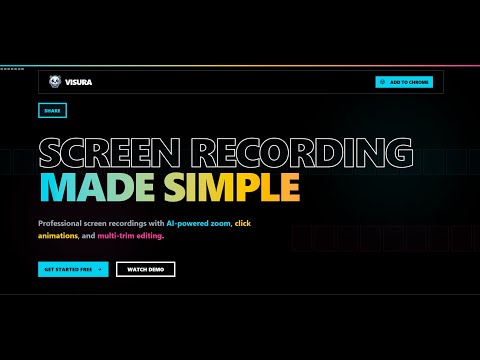
Professional screen recorder with zoom animations, HD quality, and built-in video editing.
Visura is a fast and intuitive screen recorder with a built-in editor designed for creators, developers, educators, and product teams. Record your screen and seamlessly transition into the Visura editor to add professional zoom animations and precise cuts, without complex timelines or steep learning curves. ✨ Key Features 🔎 Added new zoom effects such as ken burns, travel, smooth 🎥 Screen Recording • Lightweight Chrome screen recorder • Custom cursor styles and click animations (select before recording) • Automatically opens the Visura editor after recording 🎯 Effortless Zoom Animations • Add zoom animations by double-clicking on the timeline • Drag and drop to select the zoom area • Fine-tune zoom area, zoom level, and transition speed • Re-select or adjust zoom regions at any time 💸 Free to Use • Visura is completely free to use. • There are no subscriptions, no paywalls, and no hidden charges. • All recording and editing features available in Visura can be used at no cost. ✂️ Simple Multi-Cuts • Add multiple cuts easily from the trim panel • Clean and precise trimming without complex tools • Ideal for tutorials, demos, and walkthroughs ⚡ Fast Export • High-speed exporting • Good video quality with optimized performance 🚧 Beta Version Notice • Visura is currently in beta. • Audio and microphone recording are not supported yet • New features and improvements are actively in development 🎯 Perfect For • Product demos & SaaS walkthroughs • Coding tutorials and tech videos • Bug reports and feedback videos • Social media and short-form content We will try to actively improve Visura and would love your feedback to shape future updates.
0 out of 5No ratings
Details
- Version1.0.2
- UpdatedJanuary 4, 2026
- Offered byThreadAi
- Size357KiB
- LanguagesEnglish
- DeveloperBhavesh Lalvani
Sindhunagar tara jayanti park Bhavnagar, Gujarat 364002 INEmail
designs.by.bhavesh1@gmail.comPhone
+91 63539 35586 - TraderThis developer has identified itself as a trader per the definition from the European Union and committed to only offer products or services that comply with EU laws.
Privacy

This developer declares that your data is
- Not being sold to third parties, outside of the approved use cases
- Not being used or transferred for purposes that are unrelated to the item's core functionality
- Not being used or transferred to determine creditworthiness or for lending purposes
Support
For help with questions, suggestions, or problems, please open this page on your desktop browser