


Overview
Configure and launch localization screenshot QA capture jobs from the current page.
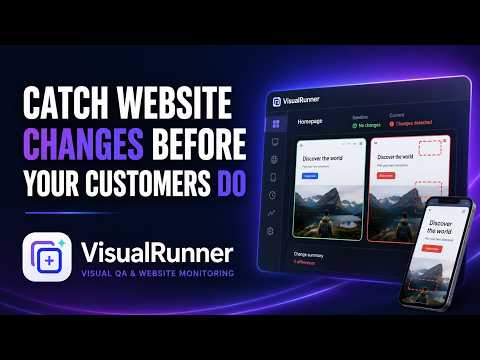
VisualRunner captures screenshots of websites across the languages, viewport sizes, and country profiles you select. It helps developers and localization teams identify untranslated content, truncated text, and layout problems. FREE LOCAL MODE Capture screenshots directly in Chrome without creating an account. Screenshots remain on your computer and can be downloaded as an organized ZIP file. Free Local mode does not upload screenshots to VisualRunner servers. HOW IT WORKS 1. Open the website you want to test. 2. Open VisualRunner from the Chrome toolbar. 3. Select the languages, viewport sizes, and country profiles to capture. 4. Start the capture. 5. Download the results as a ZIP file. OPTIONAL CLOUD MODE Users can sign in to save captures to a VisualRunner cloud workspace, maintain capture history, compare results, and use monitoring features. Before the first cloud upload, VisualRunner clearly explains what will be uploaded and asks for explicit permission. WEBSITE ACCESS VisualRunner acts only when you initiate a capture. Access to a website is requested immediately before capturing that website, rather than during extension installation. PRIVACY Free Local screenshots remain on your device. VisualRunner does not monitor general browsing activity, sell user data, or use user data for advertising. Privacy policy: https://visualrunner.com/legal/privacy Website: https://visualrunner.com Support: yiannis3030@gmail.com
5 out of 51 rating
Details
- Version0.2.6
- UpdatedSeptember 26, 2026
- FeaturesOffers in-app purchases
- Size110KiB
- LanguagesEnglish
- DeveloperKaterina IoannidouWebsite
2 Redhouse Road Wolverhampton WV6 8ST GBEmail
support@visualrunner.comPhone
+44 7748 708702 - TraderThis developer has identified itself as a trader per the definition from the European Union and committed to only offer products or services that comply with EU laws.
Privacy

VisualRunner has disclosed the following information regarding the collection and usage of your data. More detailed information can be found in the developer's privacy policy.
VisualRunner handles the following:
This developer declares that your data is
- Not being sold to third parties, outside of the approved use cases
- Not being used or transferred for purposes that are unrelated to the item's core functionality
- Not being used or transferred to determine creditworthiness or for lending purposes
Support
For help with questions, suggestions, or problems, please open this page on your desktop browser