


概要
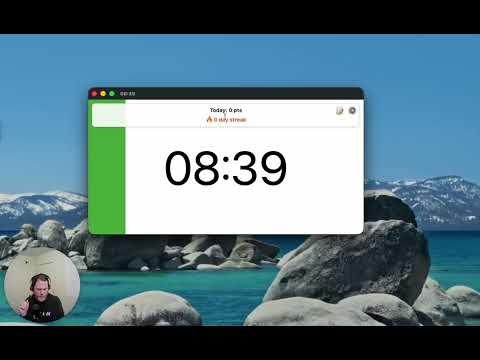
A visual timer to help you focus on your current task.
This timer is designed to help you be more productive by keeping your fingers on the keyboard. Click the extension icon from your browser to pop a new timer (or bring the existing one into the foreground). Then just type the number of minutes you want the timer to run for and hit Enter. The timer will start as a countdown, filling up as the timer runs so you'll know roughly how much time you have left without breaking your concentration. Once the timer completes, it begins flashing so you know it's complete. If you need to pause the timer, just select the timer popup and hit Space. Space again to resume. If you want to reset the timer (for the previously selected duration) just select the timer popup and hit "R" and it will start over. Cheatsheet for keyboard shortcuts: - 1-999 : Start a timer for that many minutes - R : Reset the timer - Space : Pause/resume the timer - ? : Toggle config mode (where you can set the background color, toggle the "ding") - T : Toggle task mode where you can list your tasks and start a timer for each - > (right angle bracket) : Mark current task done (delete it) and begin next task New in this version (1.5.0): * Removed default timer controls that show on hover (you can still toggle these back on) * Improved styling on settings and tasks view New in version 1.4.0 (Sep 12, 2025): * Gamification! Under settings you can opt in to setting a target number of minutes working on tasks (timers must be started from the tasks list) and track your streak. Feel the productivity points as you make a daily habit for spending at least an hour working on tasks. * More icons for those that aren't used to keyboard shortcuts: start/pause toggle icon, restart icon, task list icon Thanks to everyone who has commented on the Youtube instructional video to provide feedback and request new features!
5 点満点で 4.640 件の評価
詳細
- バージョン1.5.0
- 更新:2025年12月27日
- 提供元visualtimerext
- サイズ164KiB
- 言語English
- デベロッパー
メール
ian@yawmp.com - 非取引業者このデベロッパーは取引業者として申告していません。EU 加盟国の消費者とこのデベロッパーとの間に締結された契約には、消費者の権利が適用されません。
プライバシー

このデベロッパーは、お客様のデータについて以下を宣言しています
- 承認されている以外の用途で第三者に販売しないこと
- アイテムの中心機能と関係のない目的で使用または転送しないこと
- 信用力を判断する目的または融資目的で使用または転送しないこと