


Overview
Send sales call transcripts to your Vista Deal Room. Built for AEs: One link to run your entire sales process.
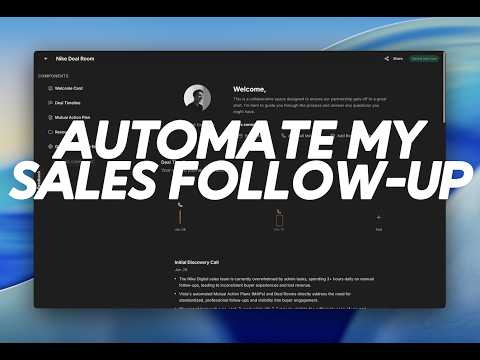
You just finished a sales call. You still have to write the follow-up, update the CRM, pull the deck, find the case study — and every other AE on your prospect's shortlist just sent the same Claude-generated email. The time you spend between your call and a polished follow-up landing in your buyer's inbox? That's the Admin Tax. And it's costing you deals. 🔥 Vista is the first deal room that gets smarter with every call. One link your buyer bookmarks for their whole evaluation, not an email they lose in their inbox. This extension auto-detects your sales transcripts in any call recording tool and sends it to Vista in one click. sends it to Vista in one click. By the time you're in your next meeting, your buyer already has a professional room with the summary, action items, and your relevant resources auto-pulled from your conversation, in a workspace built just for their evaluation. The perfect follow-up, in 30 seconds. No copy-paste. No juggling tabs. No "I'll write that follow-up after my 4pm". That's Vista. - - What the extension does: Auto-detects transcript pages in supported tools — nothing to configure. Sends the transcript to Vista in one click, directly from the tab you already have open. Vista builds a buyer-ready deal room: call summary, action items, and resources from your library auto-matched to the deal. Links the call to a new or existing deal room so every conversation with a buyer lives in one place. No copy-paste. No juggling tabs. No "I'll write that follow-up after my 4pm." - - Why AEs install this: Your follow-up looks like it took an hour. It took 30 seconds. Buyers remember the AEs who send clean, organized rooms after every call. Be that AE. Zero copy-paste. You'll never again export from your call recorder, open a doc, paste, format, attach, and email. The whole workflow collapses to one click. Works with every tool you're already using. If your transcript is there, Vista can find it. - - How it works Install the extension and sign in with your Vista account. Open a transcript in any supported tool after your call. Click "Send to Vista." Vista generates a summary, action items, and pulls the right resources from your library. Share the room link with your buyer — one URL, everything they need, no attachments. - - Who this is for Individual AEs and founders tired of the manual admin work after "call ends" and "follow-up sent." If you currently paste transcripts into ChatGPT and manually assemble the follow-up — this is that workflow in 30 seconds instead of 20 minutes. - - Permissions and security The extension only activates on supported transcription tool pages and your Vista account. It reads transcript content solely to send it to your authenticated Vista account over HTTPS. It does not run on any other pages or collect any other data. Built for B2B sales workflows.
5 out of 51 rating
Details
- Version0.5.1
- UpdatedApril 13, 2026
- Size49.42KiB
- LanguagesEnglish
- DeveloperWebsite
Email
seamas@vistaroom.dev - Non-traderThis developer has not identified itself as a trader. For consumers in the European Union, please note that consumer rights do not apply to contracts between you and this developer.
Privacy

Vista: Digital Sales Room has disclosed the following information regarding the collection and usage of your data. More detailed information can be found in the developer's privacy policy.
Vista: Digital Sales Room handles the following:
This developer declares that your data is
- Not being sold to third parties, outside of the approved use cases
- Not being used or transferred for purposes that are unrelated to the item's core functionality
- Not being used or transferred to determine creditworthiness or for lending purposes