

VipLink Redirector
2 ratings
)
Overview
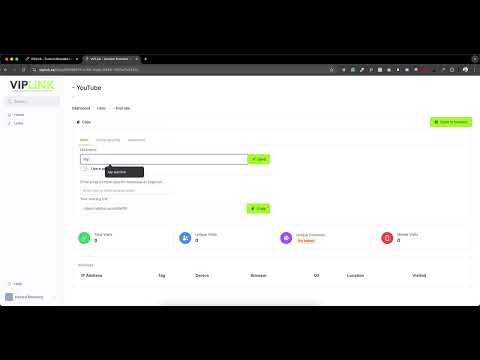
Redirects the current tab to viplink.se with the current URL as a parameter.
Effortlessly generate tracking links with a single click! VipLink Redirector is a lightweight Chrome extension designed to streamline the process of creating tracking links from any website you visit. How It Works: Instant URL Capture: Simply click the extension icon, and it will automatically grab the URL of your current tab. Automatic URL Encoding: The extension securely URL-encodes the captured address, ensuring compatibility and safety. Seamless Redirection: Once processed, you're instantly redirected to viplink.se where your unique tracking link is generated—no extra steps required! Why Use VipLink Redirector? Simplicity at Its Best: With just one click, transform any page URL into a powerful tracking link. Time-Saving: Eliminate the need to manually copy, encode, and paste URLs. Perfect for Marketers & Creators: Easily track link performance and share content across your digital platforms. Upgrade your workflow with VipLink Redirector—the fast, efficient way to create and manage tracking links directly from your browser.
5 out of 52 ratings
Details
- Version1.0
- UpdatedFebruary 9, 2025
- Offered byedvard.akerberg
- Size19.6KiB
- LanguagesEnglish
- Developer
Email
edvard.akerberg@gmail.com - Non-traderThis developer has not identified itself as a trader. For consumers in the European Union, please note that consumer rights do not apply to contracts between you and this developer.
Privacy

This developer declares that your data is
- Not being sold to third parties, outside of the approved use cases
- Not being used or transferred for purposes that are unrelated to the item's core functionality
- Not being used or transferred to determine creditworthiness or for lending purposes
Support
For help with questions, suggestions, or problems, please open this page on your desktop browser