

Viko - Image to Prompt & AI Image Generator
17 ratings
)
Overview
Turn selected web images into prompts and creative variations, then organize results and references.
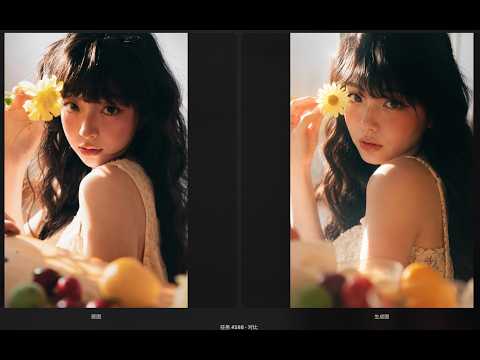
Hover over any image on the web and turn it into a structured visual breakdown, a reusable AI prompt, or a new creative variation in one click. Viko is a visual workflow extension built for AI creators, artists, designers, photographers, and moodboard builders. It helps you understand how an image is constructed, recreate its visual language, and develop new ideas without interrupting your browsing flow. HOW IT WORKS Hover over an image and choose one of two actions: • Click Prompt to reverse-engineer the image into a detailed visual analysis and an editable generation prompt. • Click Viko to analyze the image and immediately generate a creative variation from the result. You can also right-click an image, upload an image from your device, or queue multiple images for processing. Completed tasks remain available in your history, so you can return to previous prompts and results at any time. KEY FEATURES • One-click reverse prompting for images found on the web • Structured image deconstruction instead of a simple caption • Detailed analysis of image type, visual style, composition, camera angle, subject, pose, expression, clothing, scene, lighting, colors, materials, and rendering texture • Editable and copyable prompts for use in AI image-generation workflows • Generate creative image variations directly from the analyzed prompt • Palette Mode extracts the dominant colors, proportions, and visual roles from an image • Palette-guided generation applies a selected color system to new images • Pose Reference Mode uses another image to guide body pose and composition • Asynchronous task queue for processing multiple images while you continue browsing • Task history, prompt collection, favorites, and cloud synchronization • Interface and prompt output available in Simplified Chinese, English, Japanese, Korean, and Spanish Viko is designed for anyone who wants to understand, recreate, organize, or expand the visual ideas they discover online. See it, Viko it! Have fun!
4.9 out of 517 ratings
Details
- Version1.0.4
- UpdatedSeptember 2, 2026
- FeaturesOffers in-app purchases
- Offered byVescend Technology Limited
- Size363KiB
- LanguagesEnglish
- DeveloperVESCEND TECHNOLOGY LIMITED
Email
support@vescend.comPhone
+86 158 8234 5570 - TraderThis developer has identified itself as a trader per the definition from the European Union and committed to only offer products or services that comply with EU laws.
- D-U-N-S374260865
Privacy

Viko - Image to Prompt & AI Image Generator has disclosed the following information regarding the collection and usage of your data. More detailed information can be found in the developer's privacy policy.
Viko - Image to Prompt & AI Image Generator handles the following:
This developer declares that your data is
- Not being sold to third parties, outside of the approved use cases
- Not being used or transferred for purposes that are unrelated to the item's core functionality
- Not being used or transferred to determine creditworthiness or for lending purposes
Support
For help with questions, suggestions, or problems, visit the developer's support site