

Spool for YouTube & Twitch
1 rating
)
Overview
Understand your YouTube and Twitch watch time with private goals and clear breakdowns.
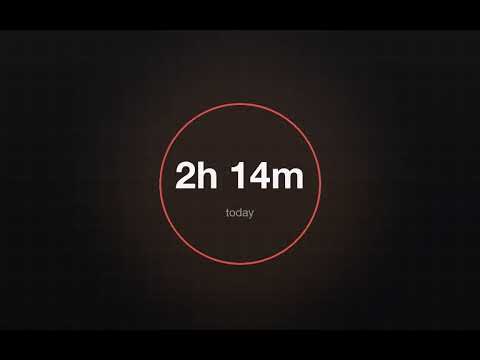
Spool shows you how much time you actually spend on YouTube and Twitch, and keeps every second of it on your own machine. Open the extension for a clear view of today, this week, your daily goal, when during the day you watch, and the channels and content types taking up the most time. On YouTube and Twitch, an optional small panel keeps your current stats nearby without covering the player. Spool was previously called ViewStats. Same extension, same history, new name. Nothing to reinstall. WHAT IT TELLS YOU Most trackers give you a number. Spool gives you plain sentences about your own history: • Where this month is heading, projected from the days so far • Your typical day — the median, so one late night does not distort it • How many of the last fourteen days came in under your goal • When you actually watch, hour by hour across the day The hour-of-day chart is the one most people are surprised by. FREE FEATURES • Today, this week, and seven-day watch-time totals • Daily goals and optional local goal notifications • Hour-of-day chart for the last seven days • Readings taken from your own history • Live seconds precision • Videos, Shorts, live, and music breakdowns • Top channels and your own channel categories • Draggable, collapsible on-page panel that remembers its position • Idle pausing and configurable idle wait • Today's total on the toolbar icon • System, light, and dark themes • Backup restore • English, German, Polish, Czech, Danish, Spanish, French, and Portuguese SPOOL PRO New installs get a seven-day Pro trial. No card, no account, nothing to cancel. Pro adds the long view: • Monthly and all-time totals • Twitch watch-time tracking, plus one combined clock that never double-counts a minute you only spent once • Hour-of-day across 28 and 90 days • Channel movers — which channels are climbing, week over week • The longer goal history • Complete JSON and CSV export Pro is a one-time purchase through Ko-fi with no subscription. It covers the current major version and its updates. The licence is linked to your current Chrome installation and continues to work offline. If you reinstall the extension, clear its data, or move to another Chrome profile, contact support for a replacement key — those are issued free, every time. PRIVATE BY DESIGN • No account • No ads or developer analytics • Your viewing history stays in the extension • Video titles are not saved • A small recovery backup can use your own Chrome Sync account • Exports are created only when you choose to download them Spool makes no network requests at all — its content security policy forbids them outright — so your history cannot be collected, sold or leaked, because it never leaves the browser it was recorded in. Spool checks whether a YouTube or Twitch video is actively playing so the timer stays accurate. On YouTube, it also uses the displayed channel and content type for your personal breakdown. It does not save video titles or public view, like, or comment counts. BUILT TO BE READ Zero third-party code. Not one dependency. The source ships readable and unobfuscated, and the privacy policy lists every single thing that is stored and where. Spool is an independent extension and is not endorsed by or affiliated with Google, YouTube, Twitch, or the Chrome Web Store. YouTube and Chrome are trademarks of Google LLC; Twitch is a trademark of Twitch Interactive, Inc. Support: playspansupport@gmail.com
5 out of 51 rating
Details
- Version1.0.5
- UpdatedOctober 12, 2026
- FeaturesOffers in-app purchases
- Offered byAlexTheDev
- Size261KiB
- Languages9 languages
- Developer
Email
playspansupport@gmail.com - Non-traderThis developer has not identified itself as a trader. For consumers in the European Union, please note that consumer rights do not apply to contracts between you and this developer.
Privacy

Spool for YouTube & Twitch has disclosed the following information regarding the collection and usage of your data. More detailed information can be found in the developer's privacy policy.
Spool for YouTube & Twitch handles the following:
This developer declares that your data is
- Not being sold to third parties, outside of the approved use cases
- Not being used or transferred for purposes that are unrelated to the item's core functionality
- Not being used or transferred to determine creditworthiness or for lending purposes
Support
For help with questions, suggestions, or problems, please open this page on your desktop browser