


Overview
Helps people with ADHD focus on reading webpages.
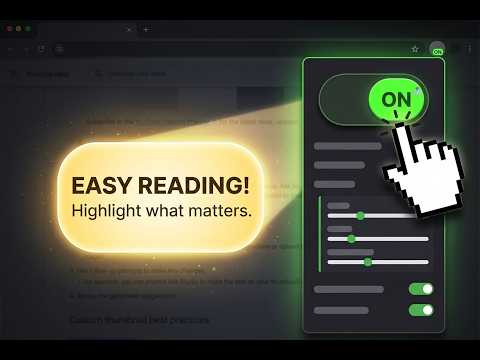
Viewer for ADHD helps you focus on reading by dimming distractions around the text. A viewing strip or spotlight follows your cursor, keeping your reading area clear while the surrounding content fades into the background. Use it on webpages and in the extension’s PDF viewer. 🔹 Features: ✅ Adjustable viewing strip — customize the strip height and dimming opacity to suit your reading preferences. ✅ Spotlight — switch to a focus window that follows your cursor in all directions. Adjust its width, height, and corner radius, or make it a circle. ✅ Auto-dim — set separate dimming levels for movement and rest, so the page can become darker when you stop to read and lighter when you move. ✅ Text-to-Speech — listen to text in the current viewing area. Choose a voice, adjust reading speed, and follow along with word highlighting when supported by the selected voice. Pause, resume, or replay using the reading controls. ✅ PDF viewing — open PDF documents in the extension’s viewer to use its reading tools. Click “Open with Viewer for ADHD?” when the prompt appears in Chrome’s PDF viewer. ✅ Color filters — choose Grayscale or any custom color tint. Use a preset or pick your own color, then adjust the intensity. Enable “Always on” to keep the filter active while the viewer is enabled, even when your cursor leaves the page. ✅ OpenDyslexic font — optionally switch webpage text to OpenDyslexic for a different reading experience. ✅ Cursor autohide — hide the pointer when it stops moving. Move the mouse to bring it back. ✅ Keyboard shortcuts — toggle the viewer, adjust the viewing strip height, and start reading aloud. Customize shortcuts to fit your workflow. ✅ Smooth movement — enable smoother tracking or turn it off to reduce resource use. ✅ Site controls — disable the extension on specific websites with one toggle. ✅ Automatic effect hiding — dimming clears when the cursor approaches the page edges or leaves the page. Make reading more comfortable with a viewing area, colors, and controls that work for you.
5 out of 56 ratings
Details
- Version1.6
- UpdatedOctober 16, 2026
- Offered bywalsash
- Size6.99MiB
- LanguagesEnglish
- Developer
Email
walsashka@gmail.com - Non-traderThis developer has not identified itself as a trader. For consumers in the European Union, please note that consumer rights do not apply to contracts between you and this developer.
Privacy

This developer declares that your data is
- Not being sold to third parties, outside of the approved use cases
- Not being used or transferred for purposes that are unrelated to the item's core functionality
- Not being used or transferred to determine creditworthiness or for lending purposes
Support
For help with questions, suggestions, or problems, please open this page on your desktop browser