


Overview
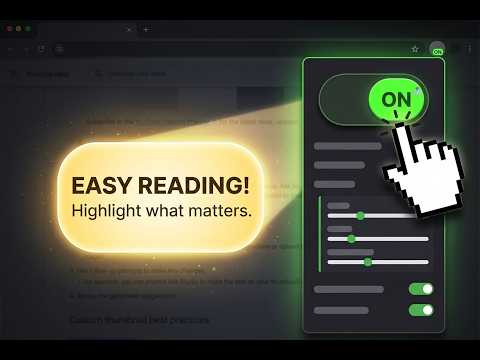
Stay focused with a reading ruler and spotlight. Read aloud with text-to-speech, use color filters, and read PDFs.
Viewer for ADHD is a reading aid that helps you focus on webpages by dimming distractions around the text. A customizable reading ruler or spotlight follows your cursor, keeping the area you are reading clear while the surrounding content fades into the background. Designed for people with ADHD and anyone who prefers fewer visual distractions, the extension combines focused reading, text-to-speech, color filters, and an optional OpenDyslexic font. Use its reading tools on webpages and in the extension’s PDF viewer. FEATURES • Adjustable reading ruler — follow text with a horizontal viewing strip that moves with your cursor. Customize its height and the surrounding dimming opacity to match your reading preferences. • Reading spotlight with Dynamic mode — use a focus window that follows your cursor in all directions. Adjust its width, height, and corner radius, or make it circular. Enable Dynamic mode to automatically fit the spotlight to the paragraph under your cursor, keeping the text in focus while dimming the surrounding content. • Auto-dim — set separate dimming levels for movement and rest. Make the page darker when you stop to read and lighter when you move your cursor. • Read aloud with text-to-speech — listen to text in the current viewing area. Choose a voice, adjust the reading speed, and follow along with word highlighting when supported by the selected voice. Pause, resume, or replay using the reading controls. • PDF reading — open documents in the extension’s own PDF viewer to use its reading tools. Click “Open with Viewer for ADHD?” when the prompt appears in Chrome’s PDF viewer. • Color filters — apply grayscale or a custom color tint. Choose a preset or pick your own color, then adjust the intensity. Enable “Always on” to keep the filter active while the viewer is enabled, even when your cursor leaves the page. • OpenDyslexic font — optionally switch webpage text to OpenDyslexic to customize how it looks while you read. • Cursor autohide — hide the pointer when it stops moving so it does not cover the text. Move the mouse to bring it back. • Keyboard shortcuts — toggle the viewer, adjust the reading ruler’s height, and start reading aloud. Customize shortcuts to fit your workflow. • Smooth movement — enable smoother cursor tracking or turn it off to reduce resource use. • Site controls — disable the extension on specific websites with one toggle. • Automatic effect hiding — dimming clears when the cursor approaches the page edges or leaves the page. Adjust the viewing area, dimming, colors, and reading controls to suit articles, study materials, work documents, and everyday browsing.
5 out of 56 ratings
Details
- Version1.7
- UpdatedOctober 26, 2026
- Offered bywalsash
- Size7.0MiB
- LanguagesEnglish
- Developer
Email
walsashka@gmail.com - Non-traderThis developer has not identified itself as a trader. For consumers in the European Union, please note that consumer rights do not apply to contracts between you and this developer.
Privacy

This developer declares that your data is
- Not being sold to third parties, outside of the approved use cases
- Not being used or transferred for purposes that are unrelated to the item's core functionality
- Not being used or transferred to determine creditworthiness or for lending purposes
Support
For help with questions, suggestions, or problems, please open this page on your desktop browser