Item logo image for Videolink & Agendalink – Async Videos & Smarter Meetings

Videolink & Agendalink – Async Videos & Smarter Meetings

Item media 6 (screenshot) for Videolink & Agendalink – Async Videos & Smarter Meetings
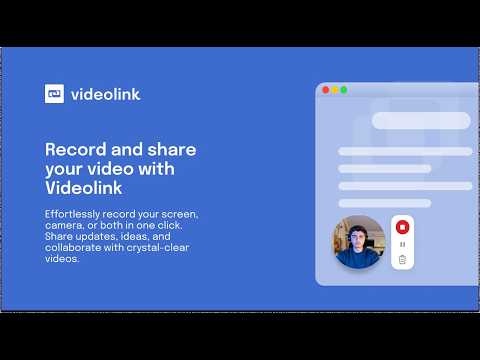
Item video thumbnail
Item media 2 (screenshot) for Videolink & Agendalink – Async Videos & Smarter Meetings
Item media 3 (screenshot) for Videolink & Agendalink – Async Videos & Smarter Meetings
Item media 4 (screenshot) for Videolink & Agendalink – Async Videos & Smarter Meetings
Item media 5 (screenshot) for Videolink & Agendalink – Async Videos & Smarter Meetings
Item media 6 (screenshot) for Videolink & Agendalink – Async Videos & Smarter Meetings
Item video thumbnail
Item media 2 (screenshot) for Videolink & Agendalink – Async Videos & Smarter Meetings
Item media 3 (screenshot) for Videolink & Agendalink – Async Videos & Smarter Meetings
Item media 4 (screenshot) for Videolink & Agendalink – Async Videos & Smarter Meetings
Item media 5 (screenshot) for Videolink & Agendalink – Async Videos & Smarter Meetings
Item media 6 (screenshot) for Videolink & Agendalink – Async Videos & Smarter Meetings

Overview

Record async videos to replace long meetings and updates. Explain bugs, show progress, and stay aligned fast.

Videolink and Agendalink combine short-form video communication with built-in tools for alignment, accountability, and async collaboration. Capture your screen or webcam, share instantly, and keep work moving – even when schedules don’t align. Perfect for onboarding, client updates, async stand-ups, or cross-team collaboration – this extension helps you communicate clearly and move work forward faster. What’s new 🔗 GitHub integration – Add videos to GitHub issues and pull requests in two ways: • Use the Chrome extension with your own Videolink account, or • Install the Videolink GitHub App as a repo owner to let contributors record and attach videos directly to issues. Explain bugs, show progress, or share visual feedback – all inside GitHub. 🔗 Request a Video – Let clients, teammates, or stakeholders record and send you videos directly via your personal request page. No account needed – just record, explain, and submit in seconds. Key features 🎥 Record in one click – screen, tab, or camera 📤 Share securely – flexible access controls and links ✍️ Run structured meetings – capture agendas, notes, and time boxes ✅ Track outcomes – decisions and action items, all in one place 📩 Embed anywhere – email, docs, wikis, or chat 📊 See engagement – viewer analytics and insights 🔒 Stay private – you control visibility and data 🧠 Work async – built for remote teams and high-leverage leaders

Details

  • Version
    1.0.13
  • Updated
    December 11, 2025
  • Offered by
    engineering
  • Size
    37.66MiB
  • Languages
    English
  • Developer
    The Scalable Factory B.V.
    Goeman Borgesiuslaan 77 Utrecht 3515 ET NL
    Email
    engineering@scalablefactory.com
    Phone
    +31 6 17144946
  • Trader
    This developer has identified itself as a trader per the definition from the European Union and committed to only offer products or services that comply with EU laws.
  • D-U-N-S
    493429681

Privacy

Videolink & Agendalink – Async Videos & Smarter Meetings has disclosed the following information regarding the collection and usage of your data. More detailed information can be found in the developer's privacy policy.

Videolink & Agendalink – Async Videos & Smarter Meetings handles the following:

Personally identifiable information
Authentication information
Website content

This developer declares that your data is

  • Not being sold to third parties, outside of the approved use cases
  • Not being used or transferred for purposes that are unrelated to the item's core functionality
  • Not being used or transferred to determine creditworthiness or for lending purposes

Support

For help with questions, suggestions, or problems, visit the developer's support site

Related

Loop11 User Testing

3.7

The Loop11 extension lets you participate in usability tests & is only active whilst completing a test for which you’ve opted in.

Show Keys

3.7

Show keys as you type

Simple Suspender

0.0

Suspend / unsuspend a tab, with minimal privacy concerns by design

Firebase access viewer

1.0

Visualize network requests to firebase services

Recorder

5.0

Screen Recording with Simple Setup

RecZap – Screen, Audio & Camera Recorder

4.6

Capture browser, desktop or webcam videos. Record screen and audio effortlessly.

No NSFW Reddit

5.0

Hides all NSFW in Reddit

StraightenUp AI - AI Posture Assistant

5.0

StraightenUp AI blurs the browser slightly upon detecting slouching, promoting better posture during computer use.

Twine Dugger

5.0

A tool to inspect and diff game state for Twine games.

Hide My Mail

0.0

Create unique, random email addresses that forward to your real inbox, using Cloudflare

RecorderPro

0.0

Record your screen with simple clicks + Add face mesh to corner

Twilio Flex Click To Dial

1.0

Twilio Flex Click To Dial

Loop11 User Testing

3.7

The Loop11 extension lets you participate in usability tests & is only active whilst completing a test for which you’ve opted in.

Show Keys

3.7

Show keys as you type

Simple Suspender

0.0

Suspend / unsuspend a tab, with minimal privacy concerns by design

Firebase access viewer

1.0

Visualize network requests to firebase services

Recorder

5.0

Screen Recording with Simple Setup

RecZap – Screen, Audio & Camera Recorder

4.6

Capture browser, desktop or webcam videos. Record screen and audio effortlessly.

No NSFW Reddit

5.0

Hides all NSFW in Reddit

StraightenUp AI - AI Posture Assistant

5.0

StraightenUp AI blurs the browser slightly upon detecting slouching, promoting better posture during computer use.

Google apps