

Video Translator for Udemy - Unlimited AI Voice Dubbing

Overview
Video translator for udemy lectures: ai voice dubbing in your language. Unlimited and free, so you listen instead of reading.
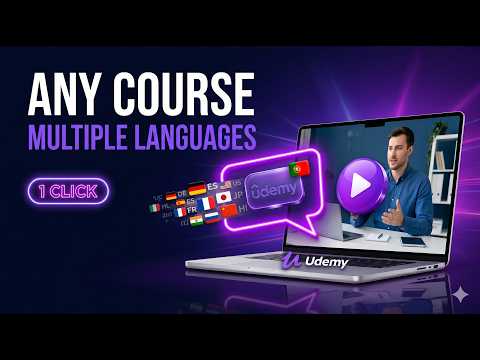
🎧 Video translator for Udemy dubs your lectures into your own language. You stop reading captions and start hearing the instructor, because the ai voice dubbing runs inside Chrome while the video plays. Anyone who has taken a technical course knows the problem. The instructor types code on screen and explains it at the same time, and the captions sit at the bottom demanding your eyes. Read the captions, miss the code. Watch the code, miss the sentence. This video translator takes that trade-off away, because the explanation now arrives through your ears. 🚀 Get started in 60 seconds 1. Click Add to Chrome to install the video translator extension. 2. Open any udemy lecture you already own. 3. Pick your target language in the side panel. 4. Press play. The first dubbed lecture starts on its own. ⚡ Unlimited dubbing, no minute caps Most dubbing tools give you 15 free minutes, then ask for $19 to $129 a month and still cap you by the hour. A 40-hour course burns through that cap in a week. The free tier here has no timer: dub every lecture in the course, replay it as often as you want, and nothing resets on the first of the month. PRO costs one payment instead of a subscription. 🔟 reasons to choose this udemy video translator 1️⃣ Real ai video translation you listen to instead of read. 2️⃣ A free video translator tier that has no minute limit on it. 3️⃣ An online video translator that lives in Chrome, so there is nothing else to install. 4️⃣ Real time video translator mode starts talking a few seconds after you press play (PRO). 5️⃣ Cached audio, so you translate a video once and replay it with no wait. 6️⃣ A built-in udemy subtitle translator for fixing lines before they are voiced (PRO). 7️⃣ Premium voices that make the video voice translator easier to listen to for an hour straight. 8️⃣ Background generation dubs the next lecture while you watch this one (PRO). 9️⃣ Export of the lecture with its dubbed track, for planes and commutes (PRO). 🔟 One payment instead of per-minute billing that never ends. 🎙️ Dubbing you can hear ➤ Most tools only translate udemy subtitles. This one reads them out loud. ➤ The ai video translator holds each phrase to the original timing, so the voice does not drift away from what is on screen. ➤ Your eyes stay on the code while the audio carries the explanation. 🌍 A video language translator for your whole library ▸ Translate video to english when the course was recorded in another language. ▸ Dub lectures into spanish, german, french, hindi, portuguese and dozens more. ▸ To translate a video from spanish to english, you change one dropdown. ▸ A video audio translator also helps with heavy accents and fast speech, where written captions tend to lag behind. ⚡ Two dubbing modes • Real time dubbing (PRO): the real time video translation engine renders the first segments in seconds and keeps working while you listen, so you are not waiting for the whole lecture. • Local dubbing (Free and PRO): this free video translator builds the entire lecture once with on-device voices, then plays it from cache after that. Good for courses you come back to. Free vs PRO Free tier: - Unlimited dubbing with local Piper and Vits voices - Translation through Google Translate - Cached playback, so you never regenerate the same lecture - A complete free video translator for every course you own PRO tier, everything above plus: - Unlimited live video translation with no waiting - Premium Edge TTS voices that sound closer to a human narrator - Ai translation with your own API keys (BYOK): OpenAI, Gemini and more - Background generation for upcoming lectures - Export with the dubbed audio attached - Subtitle editing before dubbing - Multi-core parallel generation for faster processing - Extra languages through Edge TTS - One payment, no recurring charges 👥 Who uses this video translator extension → Students who bought a course in English and lose the thread on dense technical lectures. → Professionals studying after work, who want a voice translator they do not have to babysit. → Non-native speakers who want an ai video translator instead of a wall of captions. → Anyone who hit a minute cap in a subscription tool halfway through a lesson. 🛠️ How it works The extension reads the captions attached to the lecture, translates them, then speaks the result with text-to-speech. In local mode nothing leaves your machine, because the whole pipeline runs in the browser. In PRO the real time video translator streams segments as they finish, so playback starts before the rest is ready. 🔒 Privacy and performance - Local dubbing keeps your data on your own computer. - Edge TTS (PRO) uses secure cloud processing purely for voice quality. - The video translator app is small and does not slow the browser down. - We update the dubbing engine for Chrome and platform changes as they land. ❓ Frequently asked questions ❓ Is the dubbing really unlimited? 💡 Yes. There is no minute cap on the free tier and nothing resets monthly. PRO is unlimited as well, for one payment. ❓ How does this video translator work? 💡 It pulls the lecture subtitles, translates them, and generates speech with tts. Free mode dubs locally, PRO adds real time video translation. ❓ Can I translate udemy courses lecture by lecture? 💡 Yes. Open a lecture, choose a language, and the udemy translator dubs it. Lectures you already dubbed replay from cache. ❓ Is this real time translation? 💡 PRO behaves that way. Free mode builds the lecture first, then plays it instantly from cache every time after. ❓ Do I have to pay for the voice translator? 💡 No. The free tier covers unlimited local dubbing. PRO unlocks live dubbing, premium voices, BYOK translation, export and subtitle editing. ❓ Which languages are supported? 💡 It covers a wide range as a video language translator: translate video to english, spanish, portuguese, german, japanese and many more pairs. ❓ Can it just translate udemy subtitles instead? 💡 Yes. A video subtitle translator mode is there when you would rather read, and you can edit the translated lines before dubbing. ❓ What is BYOK? 💡 Bring Your Own Key. PRO users plug in their own OpenAI or Gemini key for higher-quality ai translation. 🎓 2900+ learners already use this udemy video translator to get through courses without reading captions. Install it, open a lecture, and listen. Missing a language, or found a bug? Write to our support team. Most of what we add comes from those messages.
4.7 out of 589 ratings
Details
- Version4.12.1
- UpdatedOctober 8, 2026
- FeaturesOffers in-app purchases
- Size168MiB
- Languages53 languages
- DeveloperWebsite
Email
oleg.pharo@gmail.com - Non-traderThis developer has not identified itself as a trader. For consumers in the European Union, please note that consumer rights do not apply to contracts between you and this developer.
Privacy

Video Translator for Udemy - Unlimited AI Voice Dubbing has disclosed the following information regarding the collection and usage of your data. More detailed information can be found in the developer's privacy policy.
Video Translator for Udemy - Unlimited AI Voice Dubbing handles the following:
This developer declares that your data is
- Not being sold to third parties, outside of the approved use cases
- Not being used or transferred for purposes that are unrelated to the item's core functionality
- Not being used or transferred to determine creditworthiness or for lending purposes
Support
For help with questions, suggestions, or problems, visit the developer's support site