

Video to MP3 Converter – MP3 & Audio Downloader

Overview
Download video to MP3 without pasting links or pop-up ads: up to 320 kbps with title and cover art, lossless WAV, whole playlists.
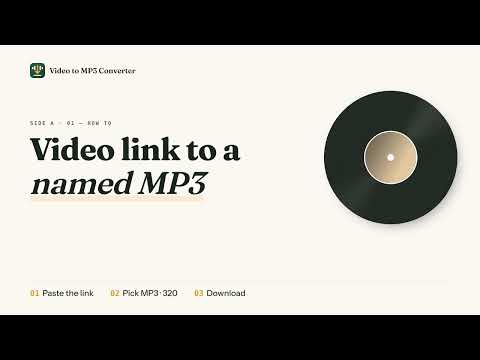
Video to MP3 Converter saves the sound of the video you're watching as an MP3 file, right from your browser's side panel. Click the icon on a video page, hit "Convert to MP3 · 320", and a cleanly named, tagged file lands in your Downloads folder. It's a video to MP3 converter and MP3 downloader in one small Chrome extension: no copy-pasting links into converter websites, no pop-up ads, no fake download buttons. Download video to MP3 when you want the song, the talk, or the podcast episode, not the picture. WHAT YOU GET One click, the right file The side panel opens on the video in your current tab. The format you used last time is already picked, and the big button tells you exactly what you'll get, so even a first-time user can save a file without changing a thing. MP3 up to 320 kbps, M4A, or WAV Choose MP3 at 320, 256, 192, or 128 kbps for any player or phone. Pick WAV when you need lossless audio for editing, sampling, or a DJ set. Pick M4A to keep the original audio track without re-encoding. Files that are ready to play MP3 and M4A files come with the title, artist, and cover art written in. File names are cleaned up automatically, so "Paper Planes (Official Video) [4K]" becomes "Nora Vale - Paper Planes.mp3". You can also rename a file before you save it. A whole playlist in one go Open a playlist and convert every track at once, or uncheck the ones you don't want. Each track is saved as its own file, and if one track can't be saved, the rest keep going. Keeps going while you browse Close the side panel, switch tabs, or keep watching: progress shows in the panel and on the toolbar icon, and a notification lets you know when the file is saved. Your last 20 conversions are one click away if you need to find a file again. HOW TO USE IT 1. Pin the extension and open a page with a video. 2. Click the toolbar icon. The side panel opens on that video. 3. Pick a format, then press the button. That's it. Save music from SoundCloud and Bandcamp, or turn videos from TikTok, Instagram and Facebook into MP3 files for offline listening. Open the page, choose your format and save the audio without copying links to another website. It also works on pages that play a video or audio file directly. Pages that require a sign-in or use copy protection can't be saved; the panel tells you plainly when a page can't be converted. WHO IT'S FOR Anyone who wants the audio from a music video for their own player, a lecture or interview to listen to on the commute, a podcast episode for offline listening, or a lossless WAV for a project. If you've been looking for an audio downloader or an MP3 converter extension that just works from the page you're on, this is it. Questions or ideas: hello@videotomp3converter.org Website and guides: https://videotomp3converter.org
5 out of 53 ratings
Details
- Version5.1.1
- UpdatedNovember 7, 2026
- Size503KiB
- Languages54 languages
- DeveloperWebsite
Email
hello@videotomp3converter.org - Non-traderThis developer has not identified itself as a trader. For consumers in the European Union, please note that consumer rights do not apply to contracts between you and this developer.
Privacy

Video to MP3 Converter – MP3 & Audio Downloader has disclosed the following information regarding the collection and usage of your data. More detailed information can be found in the developer's privacy policy.
Video to MP3 Converter – MP3 & Audio Downloader handles the following:
This developer declares that your data is
- Not being sold to third parties, outside of the approved use cases
- Not being used or transferred for purposes that are unrelated to the item's core functionality
- Not being used or transferred to determine creditworthiness or for lending purposes
Support
For help with questions, suggestions, or problems, visit the developer's support site