

Video Tape
평점 43개
)
개요
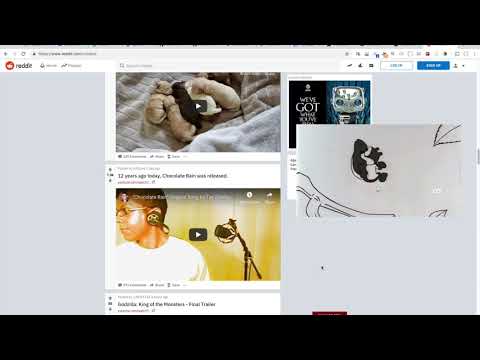
Allows you to tape most videos to the window so you can scroll around or read on while the video plays on screen.
When installing Video Tape you automatically agree to the terms of use which may be viewed any time from the options screen of Video Tape. Allows you to tape most videos to the window's edges so you can scroll down while the video plays on screen. BETA EXTENSION do not install unless you know what you are doing and will report bugs before reviewing. Thanks! After installation: you will have to refresh any pages that you would like to use VideoTape on - these pages should have videos on them - usually multiple videos - you may have to try a few. History: Video Tape is the culmination of several iterations. This is the history of Video Tape (largely unreleased) VidzFixed, Flash Stick, VideoTape. It is also loosely tied to the concepts that were released in one of my first web extensions VidzBigger (which no longer works) Needed: Override z-index without modifying DOM structure, OR flash video does not restart playing when it's position in DOM structure is modified. Sometimes the fixed position video becomes unclickable or you can click right through it, so you cannot pause it or modify volume. You will have to return it to it's original position on the page by clicking it again in these cases. Changing video css position from anything to fixed may sometimes make video start over again :/ Sorry for inconvenience! in about:flags you might try the option "Fixed position elements create stacking contexts" Thank You for trying Video Tape! - - - - - - - - - - - -
5점 만점에 3.4점평점 43개
세부정보
- 버전0.0.3.1
- 업데이트됨2025년 8월 10일
- 제공Sam Larison
- 크기94.98KiB
- 언어English
- 개발자
이메일
samlarison+noreply@gmail.com - 비판매자판매자로 식별되지 않은 개발자입니다. 유럽 연합에 거주하는 소비자의 경우, 이 개발자와 체결한 계약에 대해서는 소비자 권리가 적용되지 않을 수 있음을 유의해야 합니다.
개인정보 보호

개발자가 사용자 데이터에 관해 다음과 같이 선언했습니다
- 승인된 사용 사례를 제외하고 서드 파티에 판매하지 않음
- 항목의 핵심 기능과 관련 없는 목적으로 사용하거나 전송하지 않음
- 신용도 판단 또는 대출 목적으로 사용하거나 전송하지 않음
지원
질문, 제안 또는 문제와 관련하여 도움이 필요하면 데스크톱 브라우저에서 이 페이지를 여세요.