

Video Keys - Keyboard Shortcuts & Speed Control for Videos

Overview
Keyboard shortcuts and speed control for any video on the web: play, pause, seek, volume, fullscreen, and speed from 0.1x to 16x.
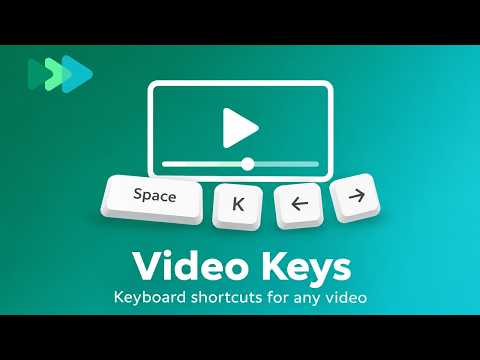
Video Keys gives every video on the web the same keyboard shortcuts and a speed controller: play, pause, seek, volume, mute, fullscreen, and playback speed from 0.1x to 16x. It works on YouTube, online courses, news and social sites, and on sites that have no shortcuts or block them. Use it to speed up lectures and tutorials, skip back to catch what was said, or watch with your hands on the keyboard. SHORTCUTS • Space or K: play / pause • ← / →: back / forward 5 seconds • J / L: back / forward 10 seconds • ↑ / ↓: volume up / down • M: mute • F: fullscreen • Shift + > / <: speed up / down by 0.25x • 0 to 9: jump to 0–90% of the video • Home / End: jump to the start / end A short hint appears over the video after each key, so you always see what changed. VIDEO SPEED CONTROLLER Pick a speed from 0.25x to 2x in the popup, or type your own from 0.1x to 16x, beyond the 2x limit of most players. Each site remembers its own speed, and the extension puts it back when a video starts, without fighting sites that reset it. WORKS WHERE OTHER SHORTCUTS DON'T • Keys are caught before the site's own scripts, so sites that block keys can't stop them, and sites with their own shortcuts don't react twice. • Finds videos inside custom players and inside embedded players from other sites, without clicking into the player first. • On pages with several videos, it controls the one that is playing, then the one you played last, then the largest one in view. • F uses the site's own fullscreen button when there is one, so the player controls stay. STAYS OUT OF YOUR WAY • It only takes over keys when a video is in view. Without one, Space still scrolls the page. • It leaves keys alone while you type in a text field, and when Ctrl, ⌘ or Alt is held. • Turn it off for any site from the popup. The change applies right away. PRIVATE BY DESIGN No account, no analytics, no ads. Nothing is sent anywhere, and your settings stay in your browser. Works in Chrome on Mac, Windows, Linux and ChromeOS.
0 out of 5No ratings
Details
- Version1.0.1
- UpdatedNovember 2, 2026
- Offered byAscenny
- Size26.71KiB
- LanguagesEnglish
- Developer
Email
hello@ascenny.com - Non-traderThis developer has not identified itself as a trader. For consumers in the European Union, please note that consumer rights do not apply to contracts between you and this developer.
Privacy

Video Keys - Keyboard Shortcuts & Speed Control for Videos has disclosed the following information regarding the collection and usage of your data. More detailed information can be found in the developer's privacy policy.
Video Keys - Keyboard Shortcuts & Speed Control for Videos handles the following:
This developer declares that your data is
- Not being sold to third parties, outside of the approved use cases
- Not being used or transferred for purposes that are unrelated to the item's core functionality
- Not being used or transferred to determine creditworthiness or for lending purposes
Support
For help with questions, suggestions, or problems, please open this page on your desktop browser