

Video editor OpenShot online

Tổng quan
Create and edit videos with OpenShot online
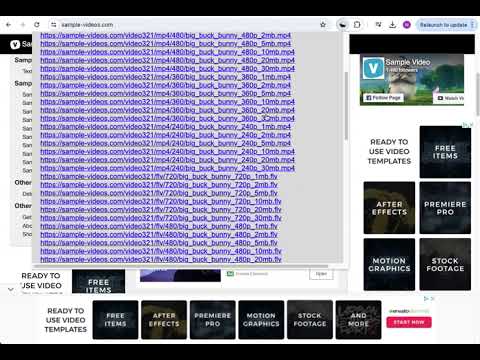
The OpenShot video editor is a Chrome extension that allows to create and edit videos online. It is an integration with an OpenShot instance, which is a free and open-source video editor . It supports commonly used video codecs that are supported by FFmpeg like WebM (VP9), AVCHD (libx264), HEVC (libx265) and audio codecs like mp3 (libmp3lame) and aac (libfaac). The program can render MPEG4, ogv, Blu-ray and DVD video, and Full HD videos for uploading to the internet video websites. It is a video editor integrated with our file manager to manage only video file types with this desktop app. OpenShot main features are - Support for many video, audio, and image formats (based on FFmpeg). - Unlimited tracks / layers. - Clip resizing, scaling, trimming, snapping, rotation, and cutting. - Video transitions with real-time previews. - Compositing, image overlays, watermarks. - Title templates, title creation, sub-titles. - Scrolling motion picture credits. - Solid color clips (including alpha compositing). - Support for Rotoscoping / Image sequences. - Advanced Timeline (including Drag & drop, scrolling, panning, zooming, and snapping). - Video encoding (based on FFmpeg). - Digital zooming of video clips. - Time-mapping and Speed changes on clips (slow/fast, forward/backward, etc...) - Custom transition lumas and masks. - Audio mixing and editing. - Digital video effects, including brightness, gamma, hue, greyscale, chroma key. (bluescreen / greenscreen) , and many more. In order to handle the video compositions this extension includes the following functionality over the files used by this extension: - Personal files and directories in the Cloud. - Operations with files and folders: copy, move, upload, create folder/file, etc - Search for files. This is not a video player, it is a video editor, so do not expect great quality when playing video or audio. Download locally the video composed by OpenShot to play it with the right quality. This OpenShot Video Editor extension uses the platform http://www.offidocs.com. It is available for free online users but it also allows the integration with premium users and on-premises OffiDocs deployments where the OffiDocs OpenShot video editor is installed. IMPORTANT: This extension scans the URLs browsed in order to detect video files. The video files detected appear in a file list located in the extension popup that are retrieved from our servers. The scanning is performed from our servers so your URL are reported to our system. No personal data is collected. This scan can be disabled with a checkbox that appears in the extension popup. If you disable this scanning, this functionality is not available so then the extension functionality is very limited.
2,4/5379 lượt xếp hạng
Chi tiết
- Phiên bản2.3.6
- Đã cập nhật27 tháng 8, 2024
- Kích thước430KiB
- Ngôn ngữ18 ngôn ngữ
- Nhà phát triển
- Người bán phi thương mạiNhà phát triển này không tự nhận mình là người bán. Đối với người tiêu dùng ở Liên minh Châu Âu, xin lưu ý rằng các quyền của người tiêu dùng không được áp dụng trong hợp đồng giữa bạn và nhà phát triển này.
Quyền riêng tư

Video editor OpenShot online đã công bố thông tin sau đây liên quan đến việc thu thập và sử dụng dữ liệu của bạn. Bạn có thể xem thêm thông tin chi tiết trong privacy policy của nhà phát triển.
Video editor OpenShot online xử lý dữ liệu sau:
Nhà phát triển này tuyên bố rằng dữ liệu của bạn
- Không được bán cho bên thứ ba, ngoài những trường hợp sử dụng đã được phê duyệt
- Không được sử dụng hoặc chuyển nhượng cho các mục đích không liên quan đến chức năng chính của mặt hàng
- Không được sử dụng hoặc chuyển nhượng để xác định khả năng thanh toán nợ hoặc phục vụ mục đích cho vay
Hỗ trợ
Nếu bạn có câu hỏi, ý kiến đề xuất hoặc gặp vấn đề, vui lòng mở trang này bằng trình duyệt dành cho máy tính để được trợ giúp