

VidAI — Translate YouTube Videos into 100+ Languages

Overview
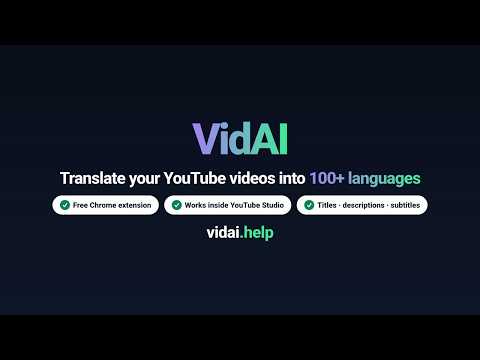
One click translates your titles, descriptions, hashtags & subtitles into 100+ languages and publishes them to YouTube.
Your video already works for viewers in Mexico, Brazil, India and Germany — they just can't find it, because its title only exists in one language. VidAI translates your YouTube titles, descriptions, hashtags and subtitles into 100 languages and publishes them to YouTube for you, in one click, from inside YouTube Studio. You pick every language once and press Translate once — one job, all of them, running in the background while you do something else. VidAI does not dub or re-voice your video and does not clone voices. It translates what YouTube shows about the video — the title, description, hashtags and subtitles — so people searching in other languages can find it and understand it. 🌍 ONE-CLICK TRANSLATION ✅ Titles, descriptions and hashtags into 100 languages — more still counting regional variants like Latin-American Spanish and Brazilian Portuguese, which are copied at no extra credits ✅ Published as official YouTube localizations — search, recommendations and the watch page show each viewer YOUR video in THEIR language ✅ Your original title and description are never changed — localizations are additions ✅ Links, timestamps, @handles and brand #hashtags are preserved, not translated ✅ Over-long translated titles are shortened automatically to fit YouTube's 100-character limit ✅ Runs in the background — start a job, close the tab, it finishes without you HOW IT WORKS 1. Install, sign in with Google at vidai.help, connect your channel (one time) 2. Open any video in YouTube Studio, pick your languages — one tap for Top 10 or Top 20 Most Spoken, or Top 10 / Top 20 RPM 3. Click Translate. Check the Translations tab: every language marked Published Two publishing modes: Fast API Mode runs in the background through the official YouTube Data API (recommended) — start a job, close the tab, it finishes. Browser Mode drives the Studio page in your open tab instead, with no connected channel needed. SUBTITLES VidAI turns on YouTube's own auto-translate for every language you picked, so subtitle translation costs 0 credits. Your video needs subtitles in its original language first, and this one runs in the page — keep the tab open while it works. 💬 AI COMMENT REPLIES Draft on-brand replies to viewer comments without leaving Studio: a persona per channel, replies in the commenter's language, your own default instructions and reply style. Speed mode for a fast single reply, Quality mode when the message matters. New in 1.9.4: answer a whole batch of comments in one round, right from YouTube Studio. 🏆 AI TITLES, WITH A JUDGE AI Council drafts title options with several AI models in parallel and a judge model picks the strongest (paid plans). Tune the tone per channel. 📝 AI METADATA One-click descriptions (short or full), tags, hashtags, keywords and chapters, built from your title, subtitles and channel context. A free SEO checker grades the video right in Studio. 📺 EVERY CHANNEL YOU RUN Channels are counted per account, not licensed one by one: 1 on Free, 2 on Entry, 5 on Basic, 10 on Pro, 20 on Max, 50 on Ultra. Each channel keeps its own persona, audience and instructions, so your cooking channel and your tech channel never get mixed up. The Channel Hub on your channel page adds a publishing calendar. 🎨 PLAYLISTS AI titles and descriptions for playlists, and playlist localization into your languages from inside Studio (new in 1.9.4). PRICING Free to install and connect. The free plan includes 250 credits every month and needs no credit card — enough for a typical video into 30 languages every month, or three of them on the Saver tier. Translations use credits, charged by the length of your text rather than by the number of languages. A typical video going into 30 languages costs about €0.30–€0.45 — roughly 1.5 cents per language, and about half that on the Saver tier. The same video into all 100 languages is about €1.00–€1.50. Adding the 100th language costs the same as the second. Paid plans start at €2.99/month with a larger allowance, loyalty bonuses grow the longer you subscribe, and extra credit packs are available any time. You always see the credits a job needs, and the credits you have left, before it runs. 🔒 PRIVACY VidAI runs only on YouTube, YouTube Studio and vidai.help pages. Your YouTube data is used to provide the service; it is not sold, and it is not shared with third parties beyond Google's YouTube API. Sign-in is Google OAuth on vidai.help — VidAI never sees your YouTube password. WHAT'S NEW IN 1.9.4 • Answer comments in bulk from YouTube Studio • Playlist localization: translate a playlist's title and description from inside Studio • Channel Hub on your channel page: a publishing calendar • A one-button first translation for new accounts: vidai.help/start • Dozens of fixes to browser publishing and the playlist dialogs Step-by-step guide: https://vidai.help/p/translate-youtube-video-90-languages Every language, live: https://vidai.help/languages Support: https://vidai.help/contact
4.8 out of 549 ratings
Details
- Version1.9.4
- UpdatedOctober 4, 2026
- FeaturesOffers in-app purchases
- Size3.98MiB
- LanguagesEnglish
- DeveloperWebsite
Email
ivan.kozak.dev@gmail.com - Non-traderThis developer has not identified itself as a trader. For consumers in the European Union, please note that consumer rights do not apply to contracts between you and this developer.
Privacy

VidAI — Translate YouTube Videos into 100+ Languages has disclosed the following information regarding the collection and usage of your data. More detailed information can be found in the developer's privacy policy.
VidAI — Translate YouTube Videos into 100+ Languages handles the following:
This developer declares that your data is
- Not being sold to third parties, outside of the approved use cases
- Not being used or transferred for purposes that are unrelated to the item's core functionality
- Not being used or transferred to determine creditworthiness or for lending purposes
Support
For help with questions, suggestions, or problems, visit the developer's support site