


Overview
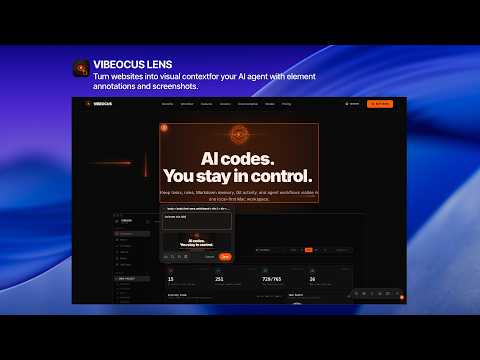
Turn websites into visual context for your AI agent with element annotations and screenshots.
Vibeocus Lens turns websites into visual context for your AI agent. Select an element on any webpage, add an annotation, and capture a screenshot so the issue or feedback is tied to the exact part of the page you mean. Instead of explaining a UI problem in long text, you can show the page, mark the element, and keep the context structured. When connected to Vibeocus Desktop, annotations can become tasks inside your project workspace. AI agents can read the captured context, understand what needs attention, create tasks from annotations, or start working on the issue directly. Use Vibeocus Lens for: - website reviews - UI and design feedback - QA notes - bug reports - client revisions - turning visual feedback into tasks - AI-assisted project work Vibeocus Lens can also work standalone for quick browser annotations, then connect with Vibeocus Desktop when you want to bring that context into your project workflow.
5 out of 51 rating
Details
- Version0.1.3
- UpdatedMay 25, 2026
- FeaturesOffers in-app purchases
- Size115KiB
- LanguagesEnglish
- DeveloperWebsite
Email
support@vibeocus.com - Non-traderThis developer has not identified itself as a trader. For consumers in the European Union, please note that consumer rights do not apply to contracts between you and this developer.
Privacy

Vibeocus Lens has disclosed the following information regarding the collection and usage of your data. More detailed information can be found in the developer's privacy policy.
Vibeocus Lens handles the following:
This developer declares that your data is
- Not being sold to third parties, outside of the approved use cases
- Not being used or transferred for purposes that are unrelated to the item's core functionality
- Not being used or transferred to determine creditworthiness or for lending purposes
Support
For help with questions, suggestions, or problems, visit the developer's support site