


Descripción general
A Chrome extension for VibeCopilot Web-Application Users (version 1.4).
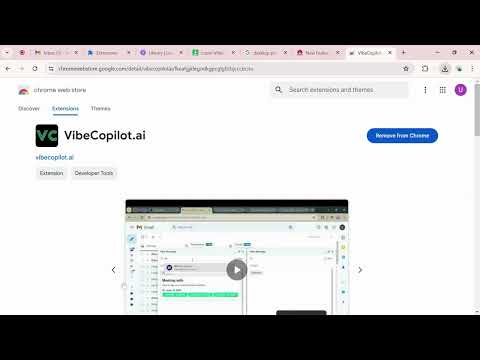
VibeCopilot Chrome Extension: Streamlined Meeting Management for Gmail Introduction Welcome to the future of seamless meeting management with the VibeCopilot Chrome Extension. Perfectly designed to integrate with Gmail, this extension is a game-changer for busy professionals aiming to optimize their schedules and streamline task management. The VibeCopilot Chrome Extension allows you to effortlessly schedule, track, and confirm meetings directly from your Gmail interface, ensuring you never miss an important appointment again. Please note that the VibeCopilot Chrome Extension exclusively facilitates seamless meetings for VibeCopilot users. Enhanced Productivity: VibeCopilot users can efficiently manage their meeting schedules without ever leaving their Gmail inbox. Improved Communication: Clear and concise meeting scheduling minimizes back-and-forth emails, ensuring mutual availability. How It Works For VibeCopilot Users (Senders): 1.Compose Your Email: Click on the "Compose" button in Gmail to open a new message dialog box. 2.Schedule a Meeting: In the new message box, click on the injected "Schedule" button to open the VibeCalendar window. The VibeCalendar window displays your VibeCopilot calendar. Drag to select your available slots based on date, time, and duration. Click on "Insert Availability" to add these slots to your email opened Compose box. 3.Send Availability: The selected slots will appear in the new message dialog box. Finish composing your email and send it to the recipient. For Vibecopilot Users (Receivers): 1.Receive and Review: Open the email sent by the VibeCopilot user, which contains the available meeting slots. 2.Select a Slot: Click on your preferred time slot to confirm the meeting. This action sends a confirmation message to both the sender and the receiver. 3.Confirmation: Both parties receive a confirmation email, and the meeting is automatically added to the Vibecopilot Web Application. Please note that emails which have been in extension i.e. in case of sender email and receive email should be Vibecopilot user [i.e. should be in the VibeCopilot database]. For testing purposes, use the emails:- Email: techmyserver1@gmail.com Password: TechServer1 Email: techmyserver2@gmail.com Password: TechServer2
4,8 de 54 valoraciones
Detalles
- Versión1.4
- Actualizado21 de septiembre de 2024
- Tamaño46.2KiB
- IdiomasEnglish (United Kingdom)
- DesarrolladorSitio web
Correo electrónico
dshreyash10@gmail.com - No operadorEste desarrollador no se ha identificado como operador. Los consumidores residentes en la Unión Europea deben tener en cuenta que los derechos de los consumidores no son aplicables a los contratos que suscriban con este desarrollador.
Privacidad

VibeCopilot.ai ha revelado la siguiente información sobre la recogida y el uso de tus datos. Puedes consultar información más detallada en la privacy policy del desarrollador.
VibeCopilot.ai gestiona lo siguiente:
Este desarrollador declara que tus datos:
- No se venden a terceros, excepto en los casos de uso aprobados
- No se usan ni se transfieren para fines no relacionados con la función principal del elemento.
- No se usan ni se transfieren para determinar la situación crediticia ni para ofrecer préstamos.
Ayuda
Si tienes alguna pregunta, sugerencia o problema, visita el sitio de asistencia del desarrollador.