

AI Flow Editor for Power Automate (by Nodient)
3 ratings
)
Overview
Vibecode your Power Automate flows with AI. Full JSON editor, action tree, diff view, run history, find & replace, MCP bridge.
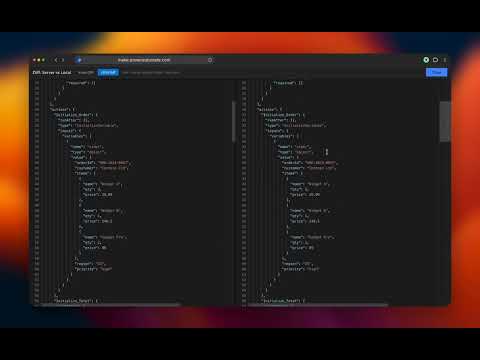
Vibecode your Power Automate flows with AI. AI Flow Editor gives you two ways to work with AI on your flows. The fastest way: export your entire flow definition as JSON with one click, paste it into any AI assistant (Claude, ChatGPT, Gemini, whatever you prefer), and let the AI analyze or rewrite it. Do the same with run history. Export the last failed run with full input/output details for every action, hand it to the AI, and let it figure out what went wrong. Once the AI gives you the corrected JSON, import it back into AI Flow Editor and your changes are pushed to Power Automate in real time. No waiting, no reloading. The flow updates instantly. The second way is through the MCP (Model Context Protocol) bridge. This connects your AI assistant directly to the editor over a local WebSocket so the AI can read your flow, make edits, save, validate, search across flows, and inspect run history without you copying anything back and forth. It works well, but depending on your setup the MCP connection can be slow. For quick fixes and debugging, the export/import workflow above is usually faster. We are a consultancy that implements Power Automate solutions for our clients. We built this tool internally because we got tired of the limitations in the standard Power Automate designer. Switching between actions, debugging failed runs, and making bulk changes across large flows was painfully slow. So we built something better for ourselves. After using it daily on real client projects for months, we decided to publish it so other Power Automate developers can benefit from the same workflow. Here is what you can do with AI Flow Editor: Full JSON editor powered by Monaco The same editor that powers VS Code, running inside your browser. You get syntax highlighting, auto-complete, code folding, minimap navigation, and bracket matching for your flow definitions. Edit connection references and the full flow definition side by side in a single view. Action tree navigation A collapsible tree panel on the left shows every action in your flow organized by its actual structure: scopes, conditions, loops, switches, and their nested children. Click any action in the tree and the editor jumps straight to it. No more scrolling through thousands of lines to find the right action. Diff view before saving Before you push any changes, open the diff view to see exactly what changed. Two modes are available: an action-level diff that highlights which actions were added, removed, or modified, and a full JSON diff for line-by-line comparison. Bulk find and replace Search across your entire flow definition and replace values in bulk. Supports case-sensitive matching and regex patterns. Preview every match with surrounding context before applying changes. Flow validation Run a validation check that catches common issues like empty action names, missing connection references, and dead-end error paths. Results show up in a detailed panel with the action name, description of the problem, and a suggested fix. Run history inspector Browse the last 50 runs of your flow without leaving the editor. Filter by status (succeeded, failed, cancelled, running). Drill into any run to see every action that executed, its duration, and its status. Expand individual actions to inspect their full input and output payloads. Export complete run data as JSON for debugging or documentation. Auto-save and recovery Your work is automatically saved to local storage every 30 seconds. If your browser crashes or you accidentally close the tab, your changes are waiting for you when you come back. Keyboard shortcuts Ctrl+S to save, Ctrl+Shift+V to validate, Ctrl+Shift+F to format, Ctrl+Shift+H for find and replace, Ctrl+Shift+D for diff view. Everything is designed to keep your hands on the keyboard. Dark and light themes Matches your preferred working style with full dark mode and light mode support across the editor, panels, and all UI components. Works with your existing Power Automate setup Signs in through Microsoft OAuth with your existing organizational account. Connects to any environment you have access to. Automatically detects open Power Automate flows in your browser tabs and lets you pick which one to edit.
5 out of 53 ratings
Details
- Version2.4.0
- UpdatedJune 12, 2026
- FeaturesOffers in-app purchases
- Size1.17MiB
- LanguagesEnglish
- DeveloperNodient
Keizersgracht 452 Amsterdam 1016 GD NLEmail
info@nodient.nlPhone
+31 6 16045722 - TraderThis developer has identified itself as a trader per the definition from the European Union and committed to only offer products or services that comply with EU laws.
- D-U-N-S473645392
Privacy

AI Flow Editor for Power Automate (by Nodient) has disclosed the following information regarding the collection and usage of your data. More detailed information can be found in the developer's privacy policy.
AI Flow Editor for Power Automate (by Nodient) handles the following:
This developer declares that your data is
- Not being sold to third parties, outside of the approved use cases
- Not being used or transferred for purposes that are unrelated to the item's core functionality
- Not being used or transferred to determine creditworthiness or for lending purposes
Support
For help with questions, suggestions, or problems, visit the developer's support site