


Overview
Translate YouTube videos with dual subtitles in 109 languages. Supports videos without captions and exports TXT, MD or SRT.
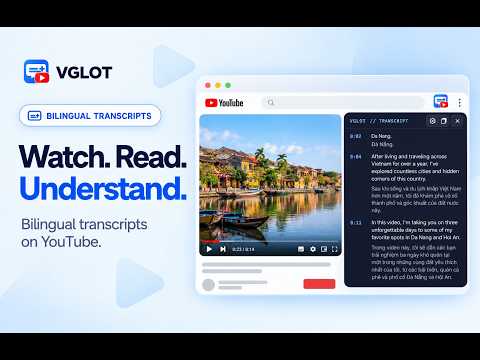
VGLOT is a YouTube translator that prepares bilingual captions from spoken audio, including for supported videos without existing subtitles. Read the original words alongside a translation and follow captions as the video plays. Choose from 109 target languages. Source-language transcription has a separate, smaller set of choices. Read subtitles on the video or open a movable, resizable transcript panel. Adjust text size and colors, hide the original words, or click a transcript line to jump to that part of the video. Export loaded captions as TXT, Markdown, or SRT. Choose the original words, the translation, or both. Exports are created locally from a snapshot of loaded captions, which may cover only part of the video. Export does not prepare missing sections or use caption minutes. GET STARTED 1. Open a public YouTube watch video in Chrome. 2. Open VGLOT and connect your account. 3. Choose the spoken language and your preferred translation language. 4. Click Start captions. VGLOT prepares captions in sections. Available captions follow playback as you play, pause, or seek. New sections take time to prepare, so transcription and translation may not appear immediately. FREE TO START Sign in to start Free with a monthly caption allowance. Creating new captions uses your allowance. Saved captions for the same account, video, and language selection can be reopened without using additional processing time. SUPPORTED VIDEOS AND PRIVACY VGLOT supports recorded public YouTube watch videos. Shorts, livestreams, and private videos are not supported. Captions are prepared when you request them. VGLOT processes audio from the selected video and saves the resulting captions privately to your account. The extension does not record your microphone or capture audio from your browser tab. Caption availability and accuracy depend on the video and language. Product: https://vglot.app Privacy: https://vglot.app/privacy Support: https://vglot.app/support Install VGLOT and follow more of the videos you want to watch.
0 out of 5No ratings
Details
- Version0.4.7
- UpdatedNovember 2, 2026
- FeaturesOffers in-app purchases
- Size187KiB
- LanguagesEnglish
- DeveloperWebsite
Email
tuantran@knoveya.com - Non-traderThis developer has not identified itself as a trader. For consumers in the European Union, please note that consumer rights do not apply to contracts between you and this developer.
Privacy

VGLOT - YouTube Translator & Dual Subtitles has disclosed the following information regarding the collection and usage of your data. More detailed information can be found in the developer's privacy policy.
VGLOT - YouTube Translator & Dual Subtitles handles the following:
This developer declares that your data is
- Not being sold to third parties, outside of the approved use cases
- Not being used or transferred for purposes that are unrelated to the item's core functionality
- Not being used or transferred to determine creditworthiness or for lending purposes
Support
For help with questions, suggestions, or problems, please open this page on your desktop browser