

VexAI: Manga & Page Translator, AI Reading Assistant, Animated Stickers

Overview
AI manga, comic & web page translator, plus an AI assistant that reads the page with you. Create AI animated stickers & GIF effects.
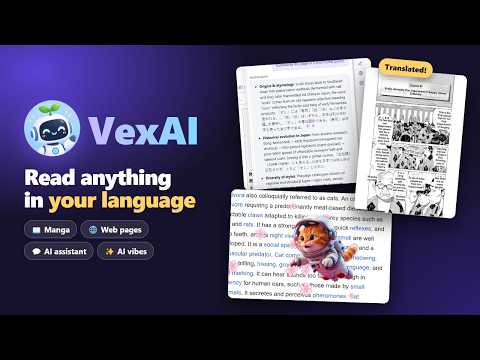
VexAI (Vex AI) is an AI manga translator, web page translator and AI reading assistant for Chrome — all working right on the page you are reading. Translate manga, manhwa, manhua, webtoons and web pages from Japanese, Korean, Chinese or any language into English and 100+ other languages, ask the AI about what you are reading, and bring any page to life with AI animated stickers. MANGA, COMIC & WEBTOON TRANSLATOR • Translate raw manga (Japanese), manhwa (Korean) and manhua (Chinese) in place: the text in speech bubbles is replaced with your language on the page itself. • One page or a whole chapter at once — long-strip webtoons and page-flip comic readers included. • Free mode: 30 free comic pages a day, up to 100 a week. Smart mode: higher-quality AI reading and translation in one step. WEB PAGE TRANSLATOR • Translate a whole page while keeping its layout, or show the original and the translation side by side (bilingual mode). • Select any text for an instant translation popup, or ask a quick question about it — explain it, summarize it, convert a price or unit. • Advanced Translate: compare translations from several AI models with your preferred tone, field and terminology. AI READING ASSISTANT FOR ANY PAGE • A reading assistant in a side panel (Alt+Q): ask questions about the article or page you are reading, get summaries, explanations and translations of hard passages. • Page content is only read after you turn on "Read page content" for that page. Optional web search for extra context. VIBES — AI ANIMATED STICKERS & GIF EFFECTS • Describe any character and AI draws it as a sticker — still, or animated like a GIF. • Or make your own animation from an emoji, an image or a GIF, and pick how it moves: fly across, walk, fall, rise or burst. • Play your animations on any web page with Alt+1, Alt+2, Alt+3… — plus ready-made effects like confetti, flying cats and penguins. SNIP & TRANSLATE (IMAGE TRANSLATOR) • Draw a box around any text on screen — in images or videos — and read the translation instantly (Alt+R). ALSO INCLUDED • YouTube video summaries, an AI writer with grammar fixes, an AI detector, and news search with Deep Dive answers backed by sources. FREE TO START • Free without an account: web page translation, the selection popup, 30 comic pages a day and 40 reading assistant questions a week with the free model (up to 8 a day). • Sign in with Google or email for features paid with credits — every new account gets 20 free credits. • Need more? Optional one-time credit packs — no subscription. PRIVACY • No analytics or tracking in the extension. Pages are only read when you use a feature on them. • Full details: https://vexai.pyktools.com/privacy Translate into 100+ languages. Interface languages: English, Vietnamese, Indonesian, Spanish, Portuguese (Brazil), Japanese, Korean, Chinese (Simplified). VexAI is made by Pyktools, a small and newly founded team, so some features and AI providers are still limited. Your support and feedback mean a lot — write to us anytime. Support: support@pyktools.com
4.2 out of 54 ratings
Details
- Version1.0.7
- UpdatedOctober 28, 2026
- FeaturesOffers in-app purchases
- Size2.96MiB
- Languages8 languages
- Developer
- Non-traderThis developer has not identified itself as a trader. For consumers in the European Union, please note that consumer rights do not apply to contracts between you and this developer.
Privacy

VexAI: Manga & Page Translator, AI Reading Assistant, Animated Stickers has disclosed the following information regarding the collection and usage of your data. More detailed information can be found in the developer's privacy policy.
VexAI: Manga & Page Translator, AI Reading Assistant, Animated Stickers handles the following:
This developer declares that your data is
- Not being sold to third parties, outside of the approved use cases
- Not being used or transferred for purposes that are unrelated to the item's core functionality
- Not being used or transferred to determine creditworthiness or for lending purposes
Support
For help with questions, suggestions, or problems, visit the developer's support site