

Vertika Command | Automate Your Browser
2 ratings
)
Overview
Automate your browser with plain-English commands. Chain steps, fill in blanks, wait for slow pages. Free AI on your computer.
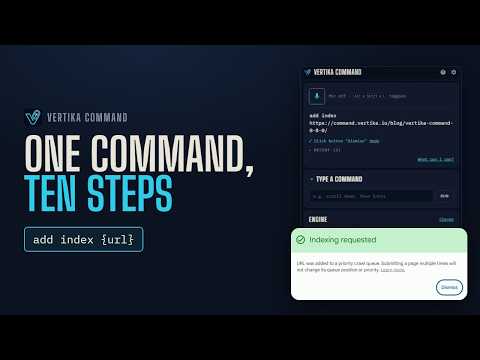
Vertika Command lets you automate your browser in plain English. Type what you want done, like "open youtube", "click sign in" or "close this tab", and it does it in the tab you're on. Or make commands of your own that run several steps in a row: "plan a trip to Lisbon" opens a travel guide, the weather and a map, each in its own tab. It works from a side panel, so it stays open while you browse, and every command can be spoken too. YOUR OWN COMMANDS • One command, several steps: open pages, click, type, scroll and switch tabs, in order. • Blanks you fill in: "plan a trip to {city}" or "ticket {id}" takes what you type in that spot, and a command can have several. • The page you're on: {page.url}, {page.title} and {page.host} use the page on screen, and "this page" fills {url}. • Pauses: pause(2 s) waits for sites that draw their buttons late, for up to 60 seconds. "never mind" stops a command that's running. • Shortcuts: give your sites names of your own. "go shopping" can open your favorite store. • Two starter commands to try: "today's article" and "plan a trip to {city}". FREE • The built-in AI is free to use: no account, no API key, no subscription. • It runs on your own computer after a one-time download (about 528 MB). • The free plan includes 10 shortcuts and commands of your own. PLAIN LANGUAGE • Understands everyday phrasing, not just fixed phrases: "go to the top of the page", "make the text bigger". • Finds the button, link or field you mean on the page, and types into it. • When several things match, it shows numbered choices; say the number, click it, or press its number key. • Takes corrections: "no, the other one" or "undo that". • Asks you to confirm before risky clicks, like placing an order. • Choose the AI engine: on this computer (the default), on your own server, or online with your own key. THINGS TO TYPE OR SAY • "plan a trip to Lisbon", "today's article" • "go to wikipedia", "search for running shoes", "switch to the youtube tab" • "click the login button", "type hello into the search box", "scroll down", "go back" • "zoom in", "print this page", "reopen the tab I just closed" • "pause the music", "resume" • "what can I say" opens a guide with examples of each kind of thing you can type or say • "stop listening" turns the microphone off PRIVACY • With the built-in engine, the AI runs on your computer, and what you type stays there. • If you use the microphone, what you say is turned into text by your browser's own speech service, which runs online. • If you choose an online engine (Jev via OpenRouter or TypeSafe, with your own key), each command sends it what you said or typed, the page's address and title, the names of its buttons, links and fields (never what you typed into them), the titles and sites of your open tabs, and your last few commands. • If you run Laya on your own server, those details go only to the address you set. • Nothing is sold or shared for advertising. GOOD TO KNOW • English only for now. • The microphone is optional. It needs your permission once; the extension asks in a tab. • Shortcuts: Alt+Shift+V opens the panel, / in the panel puts the cursor in Type a command, and Alt+Shift+L starts or stops listening (opening the panel if needed). PRO (COMING SOON) Unlimited shortcuts and commands, plus importing and exporting them. Everything above stays free.
5 out of 52 ratings
Details
- Version0.8.1
- UpdatedOctober 26, 2026
- Offered byVertika.io
- Size3.86MiB
- LanguagesEnglish (United States)
- Developer
Email
contact@vertika.io - Non-traderThis developer has not identified itself as a trader. For consumers in the European Union, please note that consumer rights do not apply to contracts between you and this developer.
Privacy

Vertika Command | Automate Your Browser has disclosed the following information regarding the collection and usage of your data. More detailed information can be found in the developer's privacy policy.
Vertika Command | Automate Your Browser handles the following:
This developer declares that your data is
- Not being sold to third parties, outside of the approved use cases
- Not being used or transferred for purposes that are unrelated to the item's core functionality
- Not being used or transferred to determine creditworthiness or for lending purposes
Support
For help with questions, suggestions, or problems, visit the developer's support site