

Vero

Overview
Get answers on supported practice pages, use your course notes, and save corrections.
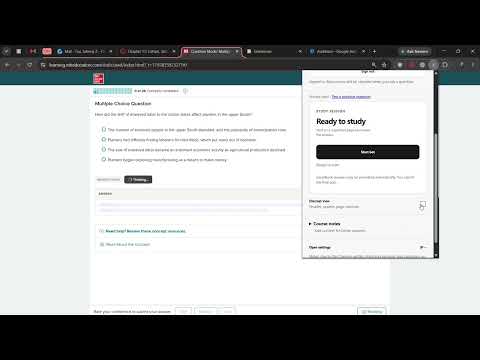
Use Vero alongside your course notes on supported practice pages in desktop Chrome. Start a session from the popup to suggest and fill answers on the page. Save a correction to reuse it when the question appears again. On supported McGraw Hill SmartBook practice layouts, Vero can fill multiple blanks, place matching cards, rate confidence to submit an individual answer, and move to the next question. Final quiz submission stays with you. Support varies by course and layout. Canvas Classic, Top Hat, UH CASA, Moodle and Open edX have additional coverage on representative layouts. See the website for the testing details. Import notes from supported PDFs, scans, Word, PowerPoint and Excel files. Text extraction runs in Chrome. When you request an answer, the hosted service and Gemini receive the question, choices, relevant saved excerpts and any enabled question images. Review AI suggestions against your course materials and use Vero where assistance is permitted. Sign in with Google to try your first 10 questions free. Continue with a $6.99 USD monthly subscription, renewing until canceled. Cancel through your account to stop renewal; access continues through the paid period. For help with access or a supported page, email hello@verohomework.com.
0 out of 5No ratings
Details
- Version1.30.3
- UpdatedNovember 12, 2026
- FeaturesOffers in-app purchases
- Offered byjzmcui@gmail.com
- Size9.85MiB
- LanguagesEnglish
- Developer
Email
jzmcui@gmail.com - Non-traderThis developer has not identified itself as a trader. For consumers in the European Union, please note that consumer rights do not apply to contracts between you and this developer.
Privacy

Vero has disclosed the following information regarding the collection and usage of your data. More detailed information can be found in the developer's privacy policy.
Vero handles the following:
This developer declares that your data is
- Not being sold to third parties, outside of the approved use cases
- Not being used or transferred for purposes that are unrelated to the item's core functionality
- Not being used or transferred to determine creditworthiness or for lending purposes
Support
For help with questions, suggestions, or problems, visit the developer's support site