

Verba — AI Writing & Translation

Overview
Translate and rewrite text in any box, and right-click selected text to get a simple AI explanation in the side panel.
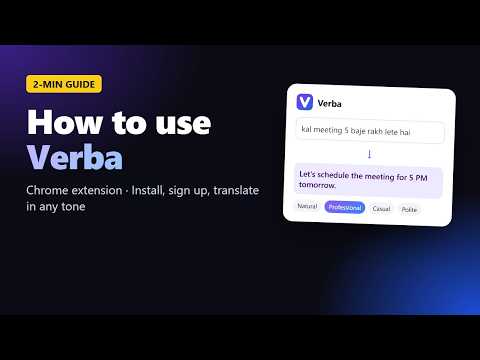
Verba helps you write in your own language and send it in clear, natural English, right where you type. Type a message in any text box on any website: chat apps, email, social media, forms, comments. Open Verba with one click or Alt+Shift+V. It picks up your text, translates it, and shows you a few versions in different tones. Choose the one you like and insert it straight back into the box. Reading something confusing? Select it, right-click and choose "Explain with Verba". A simple explanation opens in the side panel, in the language you pick. Works on PDFs too. HOW IT WORKS 1. Click the Verba icon and sign up or sign in right inside the popup. It takes a few seconds and you only do it once. 2. Type in any text box, in Hindi, Hinglish (romanized) or another language. 3. Press Alt+Shift+V or click the Verba icon. Your text is already filled in. 4. Click Translate. Verba shows what your message means, plus versions in different tones. 5. Pick a tone and click Insert. The text goes straight into the box. TONES More natural, Professional, Casual, Polite, Funny and Formal. EXPLAIN WITH VERBA Select any text on a page or PDF, right-click, and choose "Explain with Verba" to get a short, simple explanation in the side panel. FEATURES • Works in almost any text box: inputs, text areas and rich editors • Detects your language automatically, including romanized Hindi (Hinglish) • One-click Insert or Copy • Keyboard shortcut: Alt+Shift+V • Free daily translations, no card needed • Turn Verba off on any site you choose PRIVACY • Verba only reads a text box when you open it and click Translate, or when you choose Explain. • It never reads password, payment card or one-time-code fields. • Your password is never stored in the extension. Only a secure session is kept on your device. Privacy policy: https://verba-trans-ai.netlify.app/privacy
0 out of 5No ratings
Details
- Version1.0.2
- UpdatedNovember 19, 2026
- Offered bymithleshnirmal786123@gmail.com
- Size326KiB
- LanguagesEnglish
- Developer
Email
mithleshnirmal786123@gmail.com - Non-traderThis developer has not identified itself as a trader. For consumers in the European Union, please note that consumer rights do not apply to contracts between you and this developer.
Privacy

Verba — AI Writing & Translation has disclosed the following information regarding the collection and usage of your data. More detailed information can be found in the developer's privacy policy.
Verba — AI Writing & Translation handles the following:
This developer declares that your data is
- Not being sold to third parties, outside of the approved use cases
- Not being used or transferred for purposes that are unrelated to the item's core functionality
- Not being used or transferred to determine creditworthiness or for lending purposes