

VEO Automation - Tool on Google Flow (VEO3 - GEMINI ULTRA)

Overview
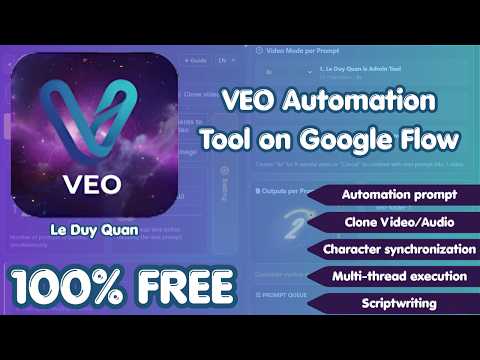
100% Free! Auto videos & images on Google Flow (VEO3 ULTRA) via multithreading, auto-prompts, clone Vid/Audio & AI scripts
VEO Automation: Streamline Your Google Flow Workflow VEO Automation is a powerful side-panel extension designed to accelerate your Google Flow experience. Eliminate repetitive manual tasks by batch-processing prompts, monitoring progress in real-time, and automating your downloads. Transform Google Flow into a high-performance production pipeline for AI video and image generation. Key Features: - Batch Automation: Process entire prompt queues automatically. The extension auto-fills and submits generation jobs, removing the need for manual entry. - Live Monitoring: Track the status of every prompt directly from your side panel with built-in retry-safe logic for maximum stability. - Smart Download & File Management: Automatically download results in up to 4K quality. Organize your media with custom subfolders and automated, ordered file renaming. - Workflow Cloning: Quickly clone workflows from existing audio or video sources to maintain creative consistency. - Gemini-Assisted Scene Generation: Leverage AI to generate structured scene prompts for long-form content and complex production workflows. Supported Modes: - Video Generation:Text to Video, Frame to Video, and Ingredients to Video. - Image Generation: Text to Image and Ingredients to Image (supporting **Nano Banana** models). - Advanced Controls: Preset aspect ratios (16:9, 1:1, 9:16), per-prompt configuration, and robust timeout handling for long-running queues. Best For: - Content Creators: Individuals looking to scale their AI media output. - Production Teams: Teams requiring standardized, high-volume workflows for video and image assets. - Power Users: Anyone seeking to automate manual tasks and increase efficiency on Google Flow. Technical Specifications: - Output Quality: Images (1K, 2K, 4K) and Video (up to 4K). - Multi-language UI: Supports English, Vietnamese, Chinese, Korean, Japanese, and Spanish. - Disclaimer: VEO Automation is an independent productivity tool and is not an official Google product.
3.8 out of 526 ratings
Details
- Version1.1.7
- UpdatedJune 23, 2026
- Size913KiB
- LanguagesEnglish
- DeveloperWebsite
Email
leduyquan2574@gmail.com - Non-traderThis developer has not identified itself as a trader. For consumers in the European Union, please note that consumer rights do not apply to contracts between you and this developer.
Privacy

This developer declares that your data is
- Not being sold to third parties, outside of the approved use cases
- Not being used or transferred for purposes that are unrelated to the item's core functionality
- Not being used or transferred to determine creditworthiness or for lending purposes