

Flow Automation - Auto Flow on Google Flow

Overview
Auto Flow your prompts at scale. Batch generate and auto-download videos and images on Google Flow.
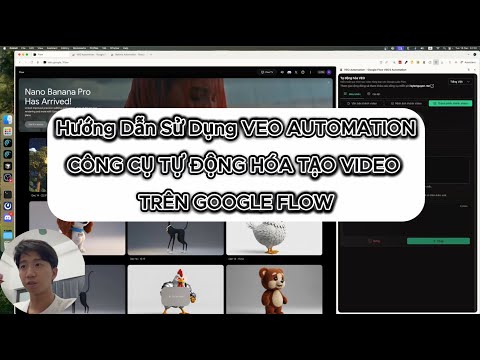
Flow Automation is an Auto Veo, Auto Flow tool built to fully automate your workflow on Google Flow (flow.google.com). No more manually creating projects or filling prompts one by one — let Flow run automatically. This extension turns Google Flow into a batch-processing engine, allowing you to auto-submit prompts, auto-generate videos and images, and auto-download results at scale. 🔥 What Flow Automation does Auto Flow prompts continuously without manual interaction Batch generate AI videos and images in parallel Automatically download videos and images in multiple resolutions Handle long prompt queues safely with concurrent processing 🚀 Key Features 🤖 Auto Video Batch Processing Queue dozens or hundreds of prompts and let VEO Automation automatically: Create new projects Fill prompts and configurations Submit generation jobs Track generation progress Move to the next prompt No clicks. No babysitting. 🎬 Auto Video Generation Automatically generate videos using: Text to Video Image to Video Components to Video Supports generating multiple videos per prompt and parallel execution Supports video downloads in 720p, 1080p, 2K, and 4K 🖼️ Auto Image Generation (Banana Pro) Automatically generate images using: Text to Image Image to Image Edit images before generating new images to keep character consistency Automatically download images in 1K, 2K, and 4K Upload and save images directly into the project folder ⚙️ Professional Automation Controls Concurrent prompt processing Smart handling for large image uploads Automatically chain the final image from the previous video into the next prompt 📊 Real-time Queue Monitoring Visual progress tracking Live prompt status inside the Side Panel 🎛 Advanced Customization Aspect ratios: 16:9, 1:1, 9:16 Model selection: Omni 1.1 Flash Veo 3.1 Fast Veo 3.1 Quality Veo 2 Fast Veo 2 Quality Number of videos per prompt Parallel prompt processing 🌐 Multi-language Support English Vietnamese Chinese Korean (한국어) Japanese (日本語) Spanish (Español) ✅ Perfect for Content creators AI video producers Automation & productivity users Anyone who wants to Auto Flow at scale
4.1 out of 5238 ratings
Details
- Version3.6.0
- UpdatedOctober 22, 2026
- FeaturesOffers in-app purchases
- Size1.3MiB
- LanguagesEnglish
- Developer
- Non-traderThis developer has not identified itself as a trader. For consumers in the European Union, please note that consumer rights do not apply to contracts between you and this developer.
Privacy

This developer declares that your data is
- Not being sold to third parties, outside of the approved use cases
- Not being used or transferred for purposes that are unrelated to the item's core functionality
- Not being used or transferred to determine creditworthiness or for lending purposes
Support
For help with questions, suggestions, or problems, please open this page on your desktop browser