

Velvetone – Better, remastered theme & player, lyrics, EQ for YouTube Music
1 rating
)
Overview
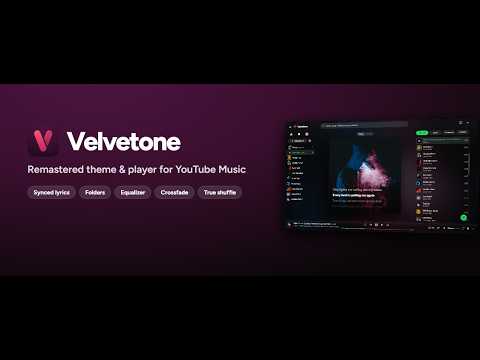
A better YouTube Music: a remastered dark player with synced lyrics, equalizer, crossfade, true shuffle and playlist folders.
Velvetone makes YouTube Music better in Chrome: a remastered, dark player that takes its colors from whatever is playing, and the features you always wanted from it. A PLAYER WORTH LOOKING AT • A calm, dark layout with glass panels over the cover of the song that's playing • Your accent color everywhere: ten swatches or any hue you like • Set how brightly the backdrop glows • Smooth motion in every corner: the sidebar, tabs, menus, and covers that crossfade from song to song YOUR LIBRARY, YOUR WAY • Playlist folders: nest them, drag playlists in, or drop one playlist onto another to start a folder • Sort your playlists by when you added them, by name or by when you last played them, either way round, or drag them into orders of your own • Give every playlist a face: its cover, an emoji, an icon in any color, or your own image • Pin your favorite playlists and folders beside Home and Library, and fold them all into one row of icons • Hide any row you don't use, even Home or Explore: it waits under "Hidden", a click away • Collapse the sidebar to a rail of covers (folders open right beside it), or drag its edge to the width you like • Search inside any playlist, as you type • Find the right playlist in "Save to playlist" with a search box EVERYDAY PLAYING, SMOOTHER • Long playlists start the moment you pick a song, with the whole playlist in Up next • Click anywhere on a song row to play it • A shuffle button next to every playlist's play button • Right-click a song, or anywhere on the player bar, and its menu opens right there • Tidier menus: the everyday actions up front, the rest under "More" • Up next filters and Autoplay, together behind one button • Elapsed and total time on either side of the seek bar • Finer volume, precise seeking with the mouse wheel and arrow keys LYRICS, PERFECTLY IN TIME • Time-synced lyrics in the Lyrics tab, line by line; click a line to jump there • Lyrics right on the cover, so they're there with Up next open too • From YouTube Music's own synced lyrics, or LRCLIB when it has none SHAPE YOUR SOUND • A six-band equalizer with 22 presets, or drag the curve yourself (your curve stays while you try presets), one click away in the player bar • Real crossfade between songs, up to 12 seconds • Volume normalization: every track at the same loudness SHUFFLE, FOR REAL • True shuffle across the whole playlist, every song, fairly, starting from a random one PRIVATE BY DESIGN • No account, no analytics, no ads. Your settings stay in your browser, and come back even after a reinstall. • Backup & restore: carry your folders, pins and settings to another computer. Got an idea, a wish, or something that isn't working? We're always listening: reach us through the Support tab on this page. Velvetone only runs on music.youtube.com. It's an independent extension, not affiliated with YouTube or Google.
5 out of 51 rating
Details
- Version1.0.12
- UpdatedNovember 1, 2026
- Offered byyavuzhancaskurlu
- Size214KiB
- LanguagesEnglish
- Developer
Email
yavuzhancaskurlu@gmail.com - Non-traderThis developer has not identified itself as a trader. For consumers in the European Union, please note that consumer rights do not apply to contracts between you and this developer.
Privacy

Velvetone – Better, remastered theme & player, lyrics, EQ for YouTube Music has disclosed the following information regarding the collection and usage of your data. More detailed information can be found in the developer's privacy policy.
Velvetone – Better, remastered theme & player, lyrics, EQ for YouTube Music handles the following:
This developer declares that your data is
- Not being sold to third parties, outside of the approved use cases
- Not being used or transferred for purposes that are unrelated to the item's core functionality
- Not being used or transferred to determine creditworthiness or for lending purposes
Support
For help with questions, suggestions, or problems, please open this page on your desktop browser